
Intelligent Automation Services
Automate Complex Business Workflows with AI
Reduce manual work, connect enterprise systems, and hand decision-heavy processes to intelligent automation solutions built around your operations, data, and existing software.

Where Manual Work Starts Costing You
If several of these sound familiar, manual work already drives up your operating costs. Each symptom adds hours, errors, and handoffs that grow with every new client, product line, or market.
CEO Quote

Manual Work Everywhere
Teams spend time copying data, checking documents, updating systems, and transferring information between tools.

Broken Handoffs
CRM, ERP, email, and spreadsheets run separately, so data gets re-entered and requests get lost.

Routine Checks by Senior Staff
Senior employees repeatedly review the same inputs, apply the same rules, and make routine decisions manually.

Exceptions Disrupt the Workflow
Rule-based workflows stop as soon as they encounter something outside the predefined rules.

Volume Outpaces Headcount
Every increase in transactions, requests, and documents requires more people to handle the workload.

Knowledge Held by a Few
The process runs only while the people who know what to check and where to look are available.
Intelligent Automation Services
Six areas of intelligent process automation services, from a single document flow to processes that span several systems and teams. Each one runs as a standalone project or as part of a wider automation roadmap.

Workflow Automation
Intelligent workflow automation for multi-step processes across teams, tools, and business systems.

Agentic Automation
AI agents that read context, use your software, complete tasks, and carry processes through to completion.

Document Processing
Extract, classify, validate, and route data from invoices, contracts, forms, and scanned PDFs.

Decision Automation
AI models, business rules, and your enterprise data handle repeatable operational decisions.

System & API Integration
CRM, ERP, SaaS tools, internal platforms, and legacy software joined into one automated flow.

Service Automation
AI assistants that answer customer and employee requests, take action, and escalate complex cases.
Workflow Automation
Intelligent workflow automation for multi-step processes across teams, tools, and business systems.
Agentic Automation
AI agents that read context, use your software, complete tasks, and carry processes through to completion.
Document Processing
Extract, classify, validate, and route data from invoices, contracts, forms, and scanned PDFs.
Decision Automation
AI models, business rules, and your enterprise data handle repeatable operational decisions.
System & API Integration
CRM, ERP, SaaS tools, internal platforms, and legacy software joined into one automated flow.
Service Automation
AI assistants that answer customer and employee requests, take action, and escalate complex cases.
Automate the Work That Slows Teams Down
AI business process automation for specific operational functions. Each area lists the manual tasks that most often slow teams down and pull specialists away from higher-value work. Pick the one closest to your workflow and see which steps can run on their own.
Finance & Back Office
Best suited to high-volume, rules-driven workflows where accuracy, speed, and a reliable audit trail matter. Matching, validation, and data entry run automatically, while finance teams focus on reviewing and approving exceptions.
 Invoice processing
Sales & Customer Operations
The work that happens between your CRM and the other tools your sales and service teams use. Records stay complete, requests reach the right person, and the right materials are ready before every call.
Procurement & Supply Chain
Multi-party processes where documents and approvals can slow things down. The system checks supplier data, matches orders to invoices, and flags issues before they cause shipment delays.
HR & Internal Operations
Internal requests that scale with your workforce, office locations, and changing policies. Onboarding tasks, policy questions, and access requests are handled without manual follow-ups.
Compliance & Risk
Review-heavy work where every automated decision has to be explainable to an auditor. Checks run on every case, evidence is recorded, and high-risk cases go to your compliance team.
Finance & Back Office
Best suited to high-volume, rules-driven workflows where accuracy, speed, and a reliable audit trail matter. Matching, validation, and data entry run automatically, while finance teams focus on reviewing and approving exceptions.
Sales & Customer Operations
The work that happens between your CRM and the other tools your sales and service teams use. Records stay complete, requests reach the right person, and the right materials are ready before every call.
Procurement & Supply Chain
Multi-party processes where documents and approvals can slow things down. The system checks supplier data, matches orders to invoices, and flags issues before they cause shipment delays.
HR & Internal Operations
Internal requests that scale with your workforce, office locations, and changing policies. Onboarding tasks, policy questions, and access requests are handled without manual follow-ups.
Compliance & Risk
Review-heavy work where every automated decision has to be explainable to an auditor. Checks run on every case, evidence is recorded, and high-risk cases go to your compliance team.


Move Beyond Task Automation
Most automation projects stop at level one, where a single task simply runs faster. The bigger savings come at level three, where work moves across systems, teams, and decisions. Each level builds on the last, so you can start small, prove the value, and expand as the results come in.
Automate a Task
01One repetitive action, such as copying a field between two systems. It saves minutes per case, and the surrounding process still depends on people moving work forward.
Connect a Workflow
02Several steps and systems linked into one fixed sequence. It runs well while every case follows the script, and any unexpected input stops the flow for manual review.
Automate the Process
03AI reads the context, applies the rules, handles exceptions, and escalates when human input is needed. The process runs end to end, leaving staff to focus on decisions that require judgment.
Lumitech Focus
Lumitech delivers intelligent business process automation end-to-end, so every step stays connected to the systems around it.
Works with the Systems You Already Use
Intelligent automation consulting starts with your current stack. Lumitech connects CRM, ERP, and internal software through APIs, events, integrations, and custom middleware, so your core systems stay in place. Teams keep the tools they know, and data moves between them automatically.

CRM
Customer records, sales pipelines, and service history kept in sync across systems

ERP
Finance, procurement, inventory, and HR data from across core business functions

Data Platforms
Data warehouses, lakes, and BI tools that drive reporting and AI models

Document Systems
File storage, forms, and repositories where contracts and records live

Communication
Email, chat, and service desks where teams handle a steady flow of requests

Legacy Systems
Older systems that still rely on files, databases, or screens to exchange data

Third-Party APIs
Payment, identity, logistics, and other external services and platforms
Automate More, Keep Control
Intelligent automation solutions define what the system decides on its own and what it hands to a person.

Routine cases
Processed automatically from intake to the final system update.

Uncertain cases
Sent to human review when model confidence drops below the threshold.

Sensitive actions
Approved by a person before payments, contract changes, or access grants.

Every decision
Recorded with the inputs, outputs, and reasoning behind it, so teams can trace how it was made.
From Bottleneck to Working Automation
A four-step delivery model for business process automation services, from the first process map to production.
Map the Workflow
Document how the process runs today, where time is lost, and where exceptions appear.
Prioritize Use Cases
Score each candidate on impact, feasibility, integration effort, and business risk.
Build and Integrate
Develop the AI components, workflow logic, interfaces, integrations, and controls.
Measure and Improve
Track automation rate, exceptions, processing time, accuracy, and business impact.
What Automation Should Improve
Metrics to agree on before development starts, so results show up as numbers. Track the same indicators from pilot to full rollout, so every release is comparable. Each metric gets an owner and a target, agreed with your operations team.
Processing Time
Reduce the time it takes to move a case from initial intake to completion by automating repetitive steps, data transfers, and routine decisions across the workflow.

Manual Effort
Help teams spend fewer hours on repetitive manual tasks, such as entering data, checking records, and updating multiple systems, so they can focus on higher-value work.

Error Rate
Reduce data entry mistakes, inconsistencies, and missed steps by limiting manual retyping and copying information between systems and automating routine checks.
Cost per Workflow
Enable teams to handle more cases without a proportional increase in operating costs, reducing the resources required to complete each workflow as automation scales.

Automation Rate
Increase the share of cases completed automatically as business rules, integrations, and AI models improve, reducing the need for manual intervention in routine processes.

Exception Handling
Let automation manage predictable, routine cases while routing exceptions, unusual inputs, and complex decisions to the right people for review and resolution.

Visibility
Track each step of the workflow to make progress, delays, and bottlenecks easier to identify, helping teams understand where processes slow down and where improvements are needed.

Baselines First
Measure process performance before introducing automation to establish a clear baseline, compare results against it, and demonstrate improvements in processing time, cost, accuracy, and workload.
Customer Stories
Automation in Practice
How clients use intelligent automation services in day-to-day operations: AI connected to ERP and CRM, manual planning moved into real-time systems, and reports generated with no manual effort.
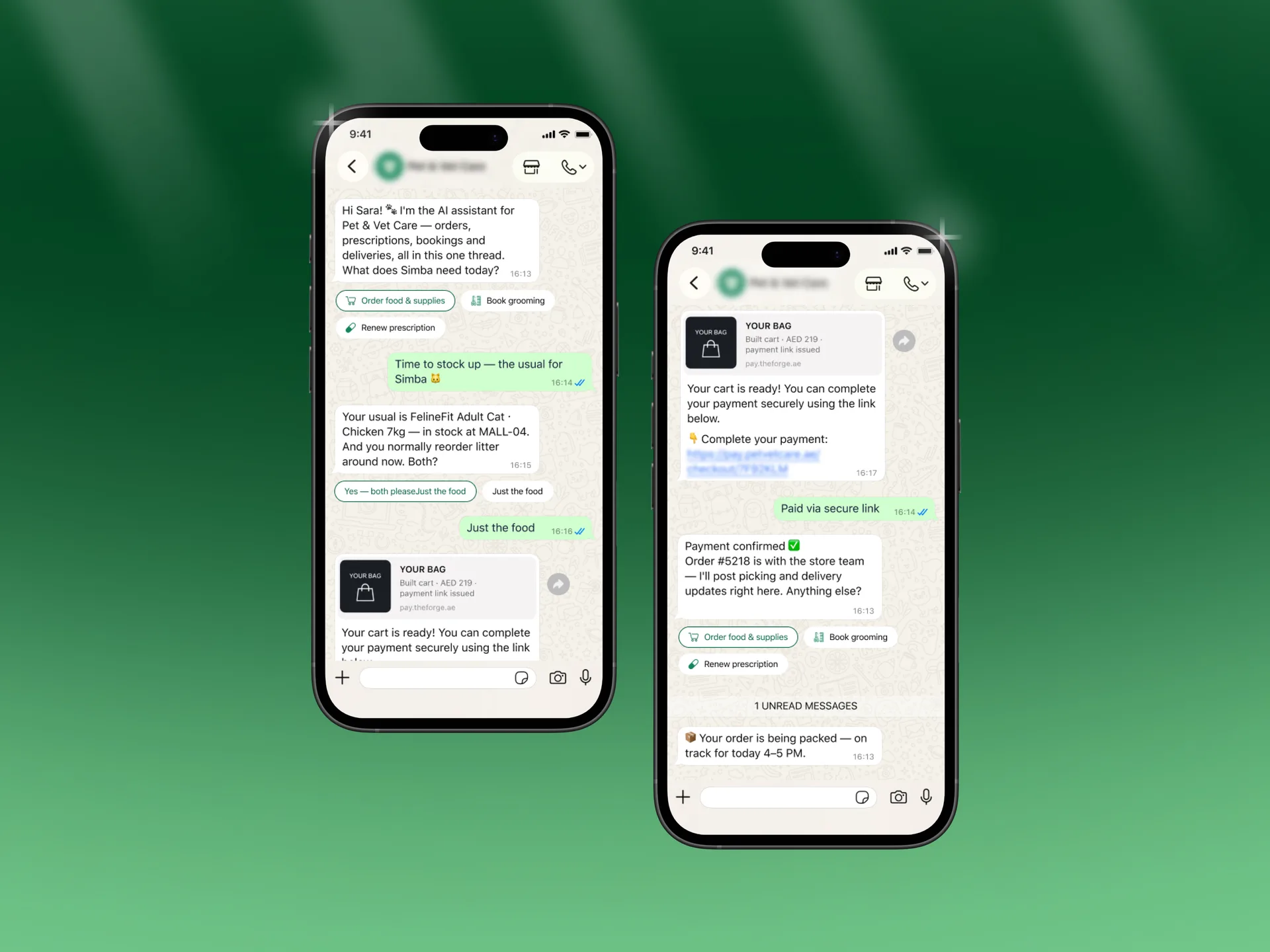
Enterprise WhatsApp Commerce for GCC Retail
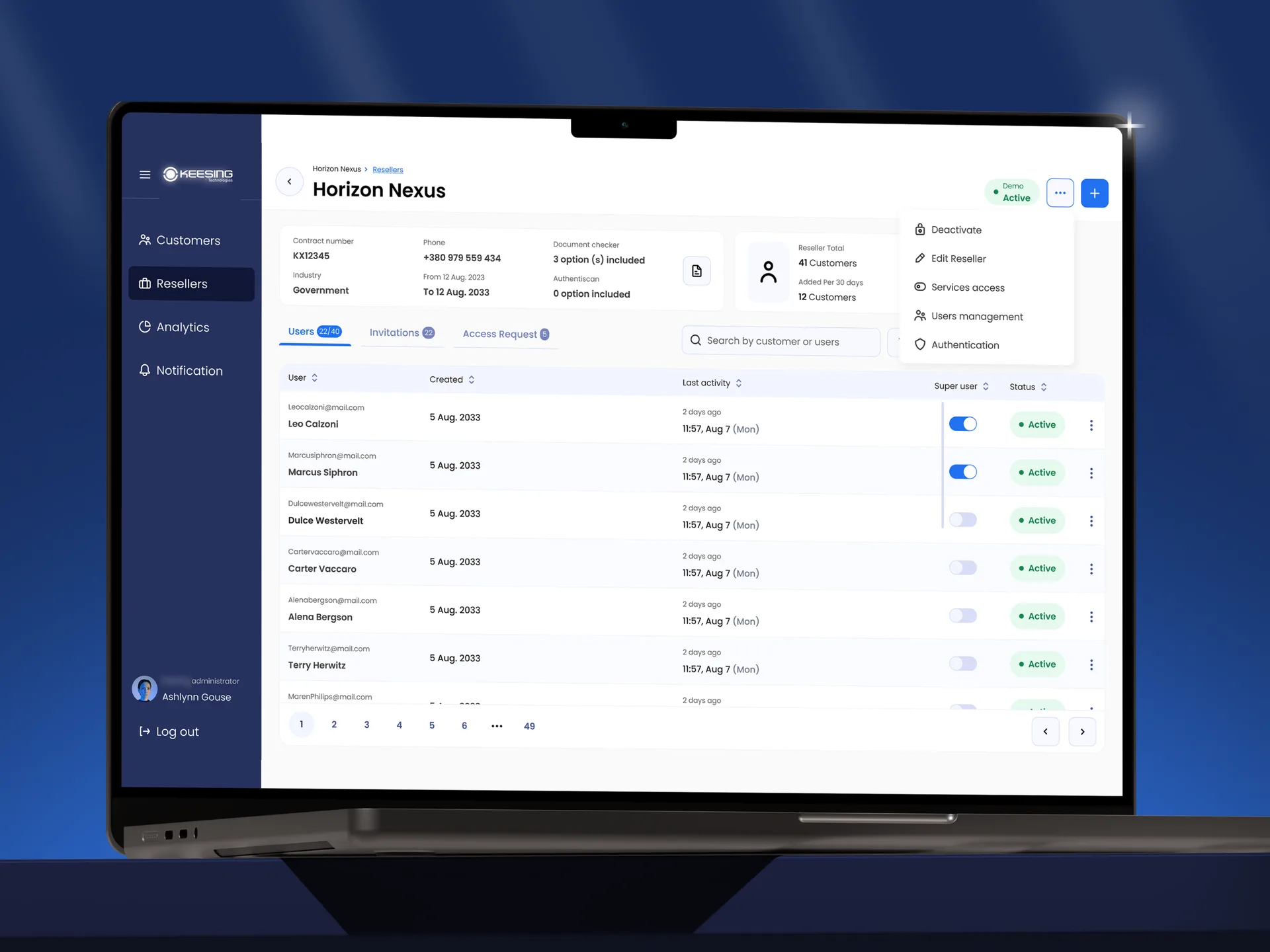
How We Rebuilt an Identity Verification Platform
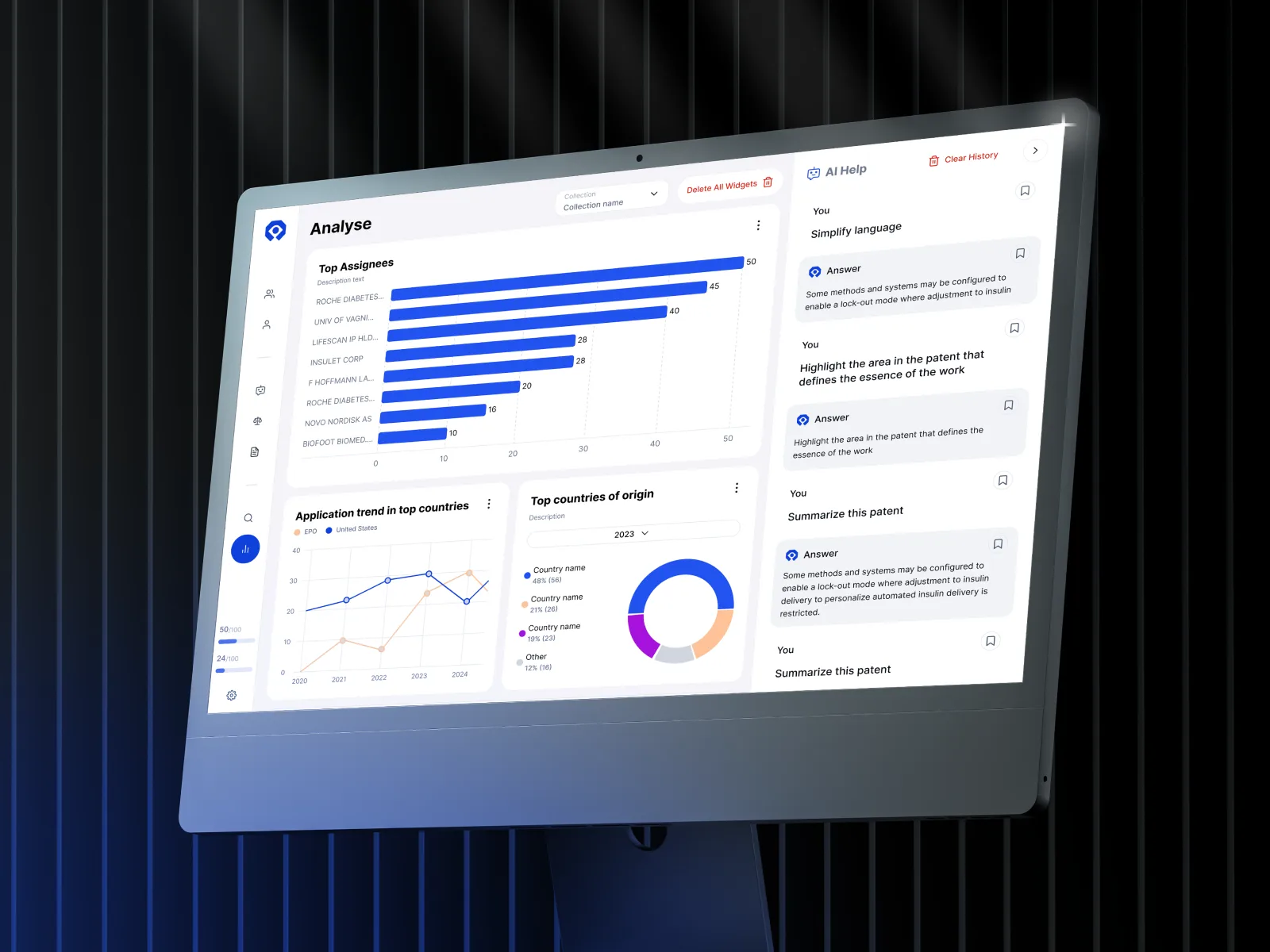
AI-Powered Patent Analysis in Minutes, Not Months
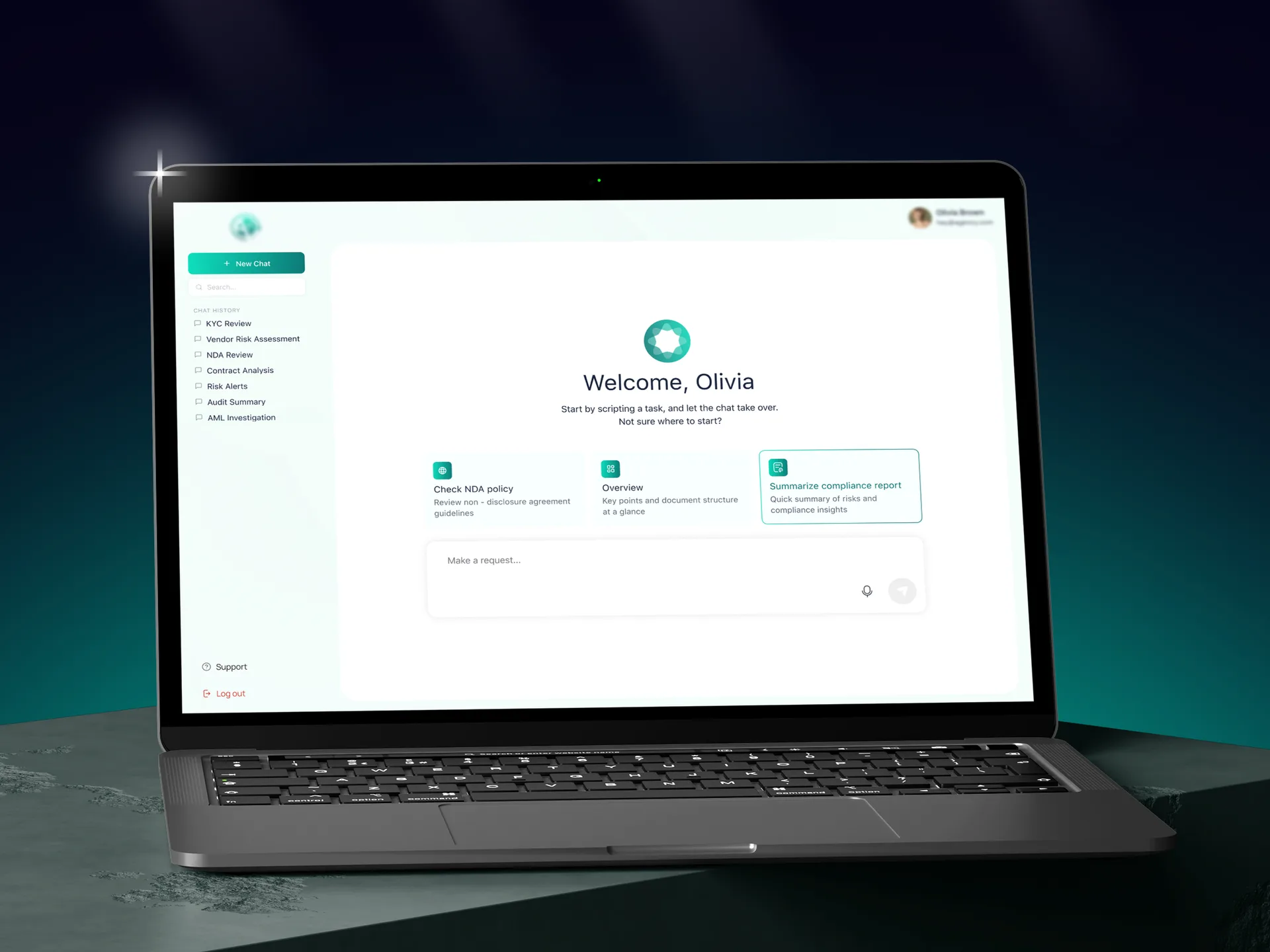
Legal AI Assistant for a Regional Fintech Institution
Industries We Serve
Enterprise intelligent automation for domains where large volumes of documents, compliance requirements, and legacy systems make manual processes slow and expensive. Every industry operates under different regulations, data formats, and core platforms, requiring a tailored delivery approach.

Financial Services
Risk, compliance, onboarding, and other document-heavy back-office workflows.

Real Estate & PropTech
Property records, lease documents, customer requests, and day-to-day operations.

Construction
Project management, document processing, procurement, and field reporting.

Manufacturing
Equipment monitoring, maintenance, quality control, and supply chain operations.

Retail & E-commerce
Order operations, service workflows, inventory, and product data.

Another Sector?
The same patterns appear in any document-heavy or fragmented operation.
Automation Built Around Your Business
Six principles behind Lumitech’s AI automation services. They shape how each project is scoped, built, and handed over to your team.
Process First
Lumitech starts with the process, identifies where automation adds value, and selects the right technology.
Custom Integrations
Automation runs across your existing systems as one connected layer.
Prototype to Production
Concepts are tested fast, and the ones that work go into production.
AI Where It Fits
Each step gets the right tool: an LLM, a rules engine, or a plain script.
Human Oversight
Sensitive actions and uncertain cases always stay under human control.
Built for Change
Workflows adapt as your operations, data, and business rules evolve.
Process First
Lumitech starts with the process, identifies where automation adds value, and selects the right technology.
AI Where It Fits
Each step gets the right tool: an LLM, a rules engine, or a plain script.
Custom Integrations
Automation runs across your existing systems as one connected layer.
Human Oversight
Sensitive actions and uncertain cases always stay under human control.
Prototype to Production
Concepts are tested fast, and the ones that work go into production.
Built for Change
Workflows adapt as your operations, data, and business rules evolve.
We build lasting client relationships through open communication, technical expertise, and a commitment to delivering on our promises.
Our partners
Proud to Partner With Industry Leaders
Our partnerships include companies recognized by the Inc. 5000 and Europe's 1000 Fastest-Growing Companies for their growth and business achievements.
Our partnerships include companies recognized by the Inc. 5000 and Europe's 1000 Fastest-Growing Companies for their growth and business achievements.
Related Services
AI & ML Development
Predictive models and custom machine learning trained on your operational data.
Agentic AI Development
AI agents that plan multi-step workflows, use your tools, and log every action.
Intelligent Document Processing

Data capture, classification, and validation for invoices, contracts, and forms.

Good to know
What business processes are best suited for intelligent automation?
What technologies are used in intelligent automation?
Can intelligent automation scale across many business processes?
How long does it take to implement an intelligent automation solution?
How much does intelligent automation cost?
Ready to bring your idea into reality?
- 1. We'll sign an NDA if required, carefully analyze your request and prepare a preliminary estimate.
- 2. We'll meet virtually or in Dubai to discuss your needs, answer questions, and align on next steps.
- Careers → careers@lumitech.coPartnerships → partners@lumitech.co
Prefer a direct line to our CEO?


Prefer a direct line to our CEO?