
Data Migration Challenges: How to Reduce Risk and Avoid Failure
Data migration is often sold by consultants as a “seamless transition”: a phrase that is usually a harbinger of weekend-long outages and frantic Slack messages at 3:00 AM. Then migration starts, and suddenly everyone discovers uncomfortable truth.
- Big Data & Analytics
- DevOps & Cloud
- Digital Transformation
April 06, 2026
 AI Overview
Data migration challenges arise when teams treat the process as simple transport rather than translation, cleanup, and risk management across incompatible systems. Core problems include bad source data, schema mismatches, downtime risk, and weak validation planning. Migration is only complete once the business signs off on accuracy, not when the transfer progress bar reaches 100%.

First, the old system contains more junk than anyone admits. Second, the new system is less forgiving than the sales demo suggested. Third, “we’ll fix it during migration” is a cry for help rather than a strategy.
If you are reading this, you are likely either planning a move or currently standing in the middle of a digital debris field. Either way, buckle up. We are going to dissect the data migration challenges that keep CTOs awake at night and explain how to plan a data migration project without losing your sanity.
Why Migrations Fail More Often Than People Expect
Most failed migrations fail because organizations underestimate the mess hiding inside their systems. In practice, the hardest work happens before the first byte is moved: inventory, profiling, dependency mapping, schema analysis, validation planning, and deciding what data should not be migrated at all. Major cloud vendors consistently emphasize assessment, proof-of-concept work, validation, and phased execution because incomplete discovery and weak planning are common root causes of migration trouble.
That is the first uncomfortable truth behind many data migration issues: migration is not just transport. It is translation, triage, cleanup, reconciliation, and risk management happening simultaneously. For many organizations, the goal is bigger than simply moving records: migration is often a step toward a modern data platform architecture that can support better analytics, governance, and long-term scalability.
If leadership treats the job as a “copy-paste with budget,” expect surprises. If teams skip data profiling because they are “already late,” expect more surprises. If nobody owns business rules for critical fields, expect chaos with a logo on it.
The Key Challenges in Data Migration Projects
Let’s get specific. The biggest data migration risks usually cluster around eight areas.
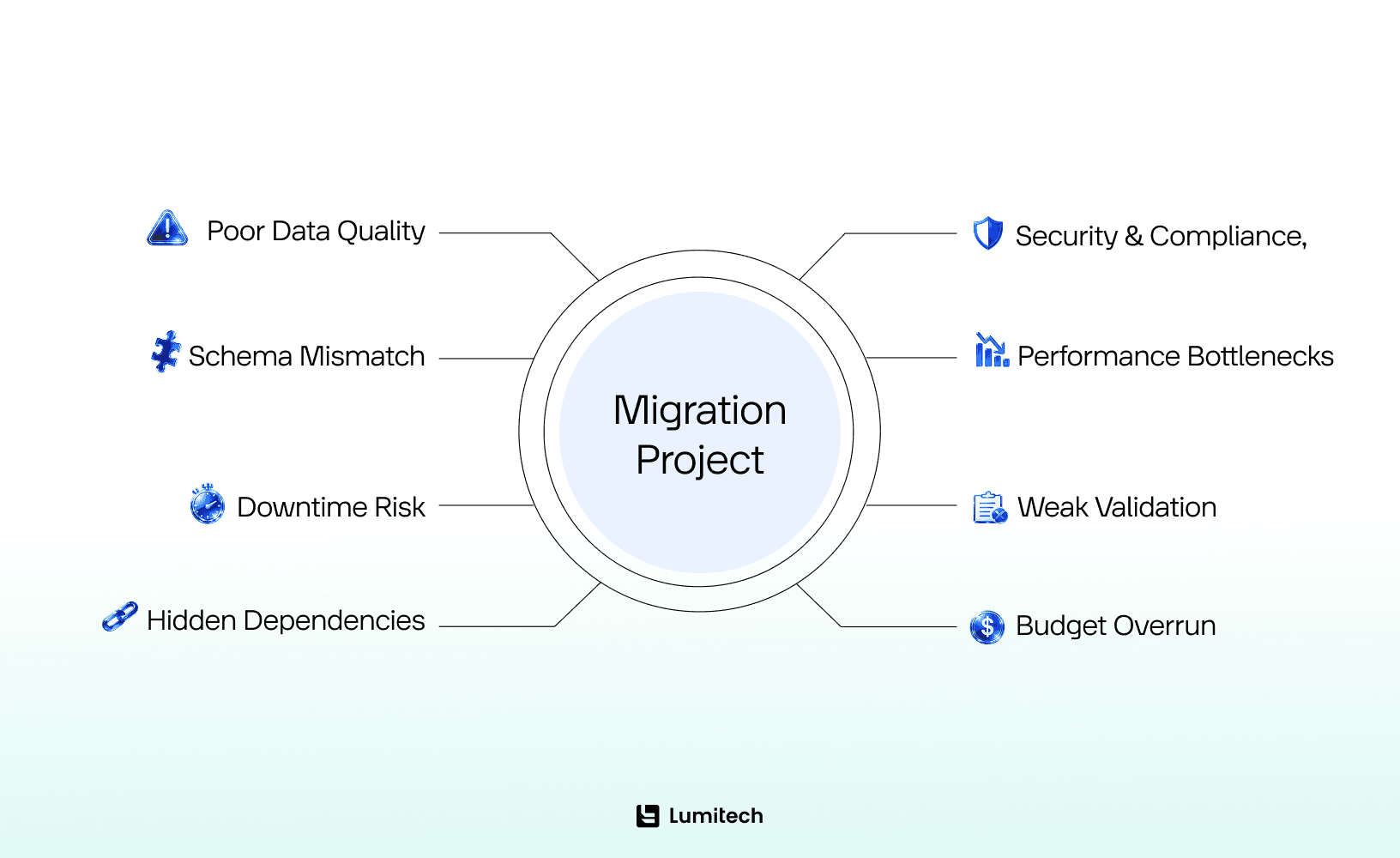
1. Bad source data
The source system is rarely clean. Duplicate records, missing values, inconsistent naming conventions, conflicting timestamps, outdated customer profiles, and undocumented workarounds are the norm, not the exception. IBM’s guidance on data quality and integration challenges highlights duplicates, inconsistencies, missing values, and incompatible formats as major obstacles that can compromise outcomes.
This is where many teams discover that their biggest risks in data migration were created years earlier by weak governance, not by the migration tooling itself.
Migrating bad data faster is still migrating bad data.
2. Schema mismatch and incompatible formats
The source and target systems often model reality differently. One system stores customer status as free text. Another requires enumerated values. One allows nulls. Another treats null as a mortal sin. One system stores dates in local time. Another expects UTC. Welcome to the glamorous world of semantic mismatch.
The complexity grows even faster when a company is moving from a legacy environment into a platform built on multi-tenant SaaS architecture, where data models, permissions, and tenant-isolation rules rarely match the old setup one-to-one.
Schema conversion and mapping are major planning topics in AWS, Azure, and Google migration guidance because field mismatches, unsupported objects, and transformation rules are common in migration design, especially across platforms.
These are classic data migration problems because they do not show up as dramatic red alerts at first. They show up as quiet corruption: truncated fields, broken references, mangled text encoding, and reports that are “mostly right,” which is often worse than obviously wrong.
3. Downtime and business disruption
Everyone wants near-zero downtime. Few systems make that easy.
Modern migration platforms support approaches like ongoing replication and change data capture to reduce disruption, and Microsoft explicitly positions online migrations as a way to achieve minimal downtime in supported scenarios. Google Cloud and AWS also stress validation, replication, and cutover planning to avoid impact on live workloads.
But let’s not romanticize it. “Minimal downtime” is not the same as “no business impact.” Performance may dip, integrations may lag, and users may find edge cases before your QA team does. That is why problems with data migration are often operational, not just technical.
That is exactly why migrations inside software solutions for enterprise companies need careful planning: even a small disruption can ripple across teams, customers, and core business processes.
4. “Invisible” data migration challenges: Hidden dependencies
Data rarely lives in one place and serves one purpose. It feeds BI dashboards, customer portals, integrations, ERP workflows, finance exports, machine learning pipelines, compliance reports, and a terrifying Excel macro that apparently runs invoicing for an entire region.
Google’s migration planning guidance emphasizes maintaining a complete inventory and assessing workloads, pipelines, and network dependencies, as overlooked interconnections are a common failure mode.
This is one of the most сommon data migration issues in real-world programs: teams think they are migrating a database, but they are actually migrating an ecosystem.
The same pattern shows up in projects like rebuilding bus booking platform capabilities, where the visible application is only part of the story, and the real complexity sits in integrations, schedules, payment flows, and operational dependencies behind it.
5. Expensive risks of data migration: Security and compliance exposure
During migration, data is in motion, transformed, copied, staged, logged, validated, and sometimes temporarily exposed in places where it normally isn't. That increases the attack surface. IBM flags security and compliance concerns as a core challenge in integration and data movement efforts.
The risks of data migration grow fast when sensitive data is moved without proper access controls, encryption, auditability, masking, or retention rules. In regulated industries, sloppy migration is not just a technical mistake. It can become a legal and reputational one.
That is especially obvious in projects involving insurance platform modernization, where historical records, policy logic, audit trails, and compliance requirements all have to remain intact during the transition.
6. Performance degradation during and after cutover
Large tables, LOBs, heavily indexed targets, underprovisioned replication infrastructure, and poorly sequenced loads can crush performance. AWS documentation specifically discusses provisioning, buffering, large transactions, bottlenecks, large objects, and reducing source and target load during migration.
Here, the data migration difficulties are brutally practical: the migration tool is working, but too slowly; the source system is overloaded; the target is ingesting data like it is doing you a personal favor; and every hour of delay costs money.
7. Weak testing and incomplete validation
A migration is not done when rows arrive. It is done when data is complete, accurate, usable, and trusted.
AWS explicitly recommends validation and supports row-level comparison for migrated data, while Google emphasizes validating the migration plan and testing failure modes before execution.
This is where many teams discover the nastiest issues: counts match, but business logic does not; tables loaded, but referential integrity is broken; transactions replicated, but a downstream app interprets values differently. “The script completed successfully” is a lovely sentence that has ruined many weekends.
8. Budget creep and timeline fantasy
Underestimated complexity is one of the most reliable causes of migration overruns. The more legacy logic, custom integrations, poor-quality data, regulatory constraints, and business-critical uptime requirements you have, the less realistic your cheerful initial estimate becomes.
That is where data migration limitations become obvious. Tools can automate movement. They cannot automatically resolve business ambiguity, political ownership disputes, or twenty years of undocumented exceptions.
Biggest Data Migration Challenges: Most Difficult Phase of Migration
Not every stage of migration is equally painful. Some are loud and visible, others are quieter but far more dangerous. The most dramatic stage is usually cutover, but the most difficult one tends to happen earlier, when teams still have limited visibility and are forced to make decisions that will shape everything that follows.
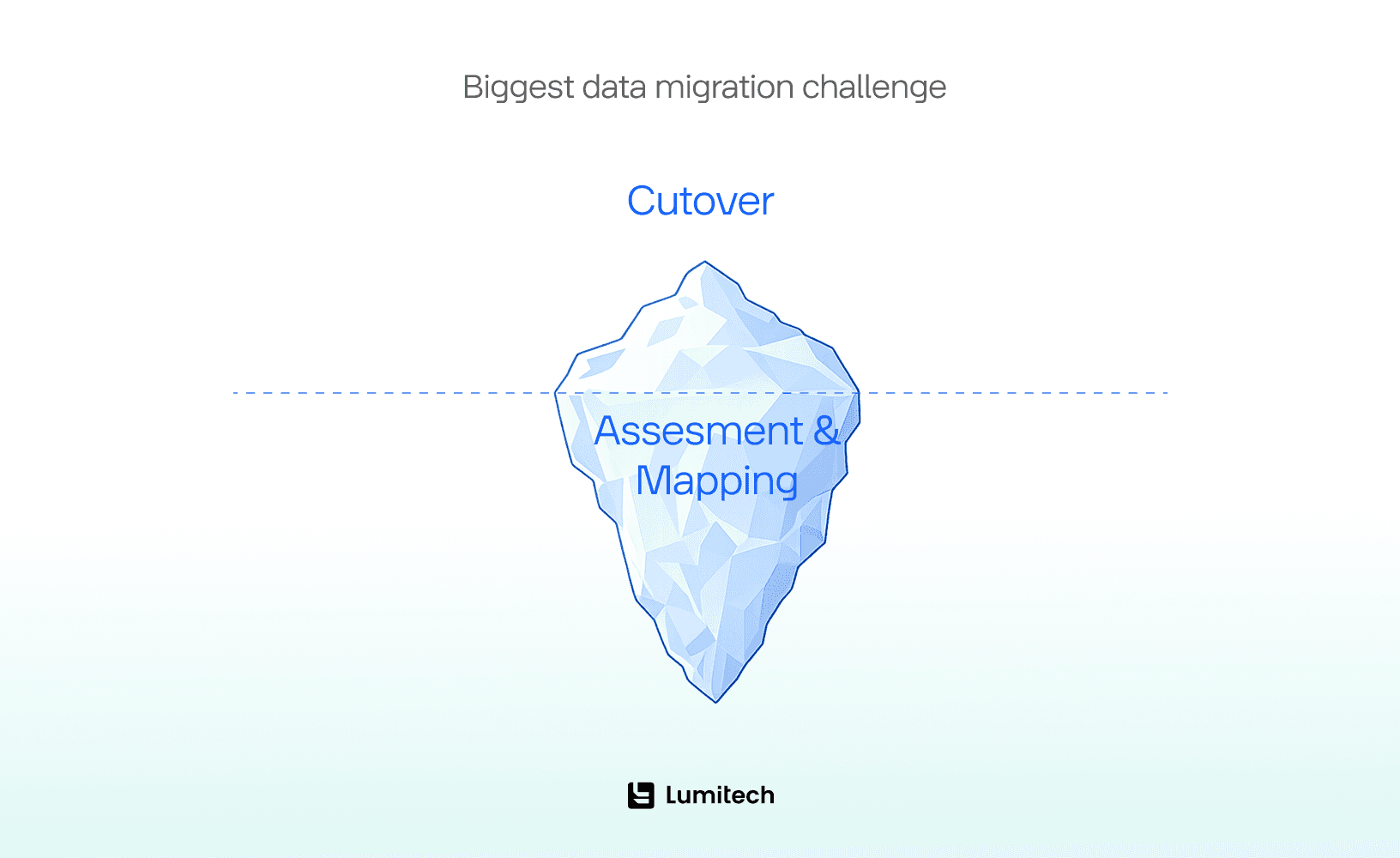
What is the most difficult phase of data migration?
The most difficult phase of data migration is usually the assessment-and-mapping stage before execution. This is when teams must identify what data exists, decide what should be moved, define transformation rules, uncover dependencies, and set validation criteria. It is the hardest phase because it combines uncertainty, technical complexity, and business consequences.
That phase is difficult because it combines uncertainty with consequences. Teams are often making critical calls while documentation is incomplete, source systems are messy, and different stakeholders have different ideas about what the data means. At this stage, you answer questions like:
What data is actually in scope?
What is authoritative when systems disagree?
Which fields can be retired?
Which transformations are mandatory?
What downstream systems depend on this data?
What constitutes a successful migration?
What is the rollback plan if cutover fails?
Google’s best-practices documentation strongly emphasizes full assessment, proof-of-concept testing, inventory accuracy, and failure-mode analysis before proceeding. AWS and Azure guidance similarly push planning, schema review, testing, and staged execution.
That is the real data migration challenge: making decisions under incomplete visibility while the organization expects confidence.
The cutover phase is more dramatic, yes. But cutover usually exposes mistakes made earlier. By the time cutover is painful, the assessment was already undercooked.
Legacy Data: Common Data Migration Issues Nobody Wants to Touch
Now to the part that makes even confident teams suddenly stare at the floor: legacy data. Handling old data is a question of business logic, compliance, and user trust. Sometimes it is also a “who built this in 2009 and why is it still in production?” question.
Research on legacy system transformation points to data incompatibility and system entanglement as recurring sources of modernization complexity.
That is why legacy system data migration challenges are so persistent. Legacy data is often:
inconsistent
sparsely documented
tied to obsolete business rules
dependent on retired applications
mixed with inactive or duplicate records
stored in outdated formats
and treated as mission-critical until the exact moment someone asks who still uses it.
In many cases, migration only solves part of the problem, which is why companies often need broader legacy modernization solutions that deal with outdated systems, brittle integrations, and historical data quality issues together rather than one by one.
How to handle legacy data during migration
Legacy data should be reviewed before migration, not moved automatically. The safest approach is to classify it, clean it, preserve important business logic, archive what does not need to stay operational, and test problematic datasets early. The goal is to migrate only valuable, usable, and necessary data.
That is the short version. The longer version is that legacy data becomes dangerous when companies treat it as one big pile of “important old stuff” and move everything into the new system without asking what still matters. In reality, not all old data deserves a place in the new environment. Some of it is active and business-critical, some is needed for reporting or compliance, and some is simply digital attic clutter nobody has touched in years.
1. Classify before you move. Separate data into the following categories: active, historical but needed, archival, redundant, obsolete, and legally retained. If nobody can explain why a dataset must be live in the new system, it probably should not be.
2. Profile and cleanse aggressively. Run quality checks for duplicates, null patterns, invalid values, orphaned relationships, and inconsistent formats before mapping. Source data cleanup is usually cheaper than target-system cleanup after go-live. IBM’s guidance on data quality issues underscores how defects such as duplicates, missing values, and inconsistencies undermine downstream use.
3. Preserve business meaning. Legacy systems often encode logic implicitly. A status code might mean different things depending on region, product line, or the phase of the moon. Document that logic before transformation. Otherwise, the migration will be technically correct and functionally wrong, which is a special kind of disaster.
4. Archive what should remain accessible but not operational. Not all legacy data belongs in the new transactional environment. Historical records can be retained in an archive or reporting layer if legal, audit, or business requirements demand access.
5. Use pilot migrations for ugly datasets first. Do not begin with your cleanest, friendliest sample and assume reality will stay polite. Start by testing the messiest domains. They reveal the real rules.
6. Build lineage and reconciliation controls. For critical entities, track how source fields map to target fields and how transformed outputs are validated. This reduces audit pain and speeds root-cause analysis when something looks off.
That is also how to overcome data migration challenges tied to legacy systems: reduce ambiguity, reduce scope, and reduce the amount of ancient nonsense you carry forward.

Security and Compliance: The High-Stakes Risks of Data Migration
We live in the era of GDPR, CCPA, and a dozen other acronyms that can result in massive fines. One of the most overlooked data migration risks is the accidental exposure of sensitive data during the “in-between” phase.
Data in Transit: Is your data encrypted while it’s moving?
Access Controls: Does the migration team have “God Mode” access to customer PII (Personally Identifiable Information)?
Orphaned Data: When you shut down the old system, did you securely wipe the drives, or is there a server sitting in a hallway containing 10 years of credit card numbers?
Addressing these data migration problems requires a security-first mindset. You aren't just moving data; you are moving a liability.
How to Overcome Data Migration Challenges and Reduce Risks
Risk reduction is not magic. It is disciplined boredom done well. A solid data migration strategy gives that discipline structure by defining scope, priorities, validation rules, rollback procedures, and the business logic that must survive the move.
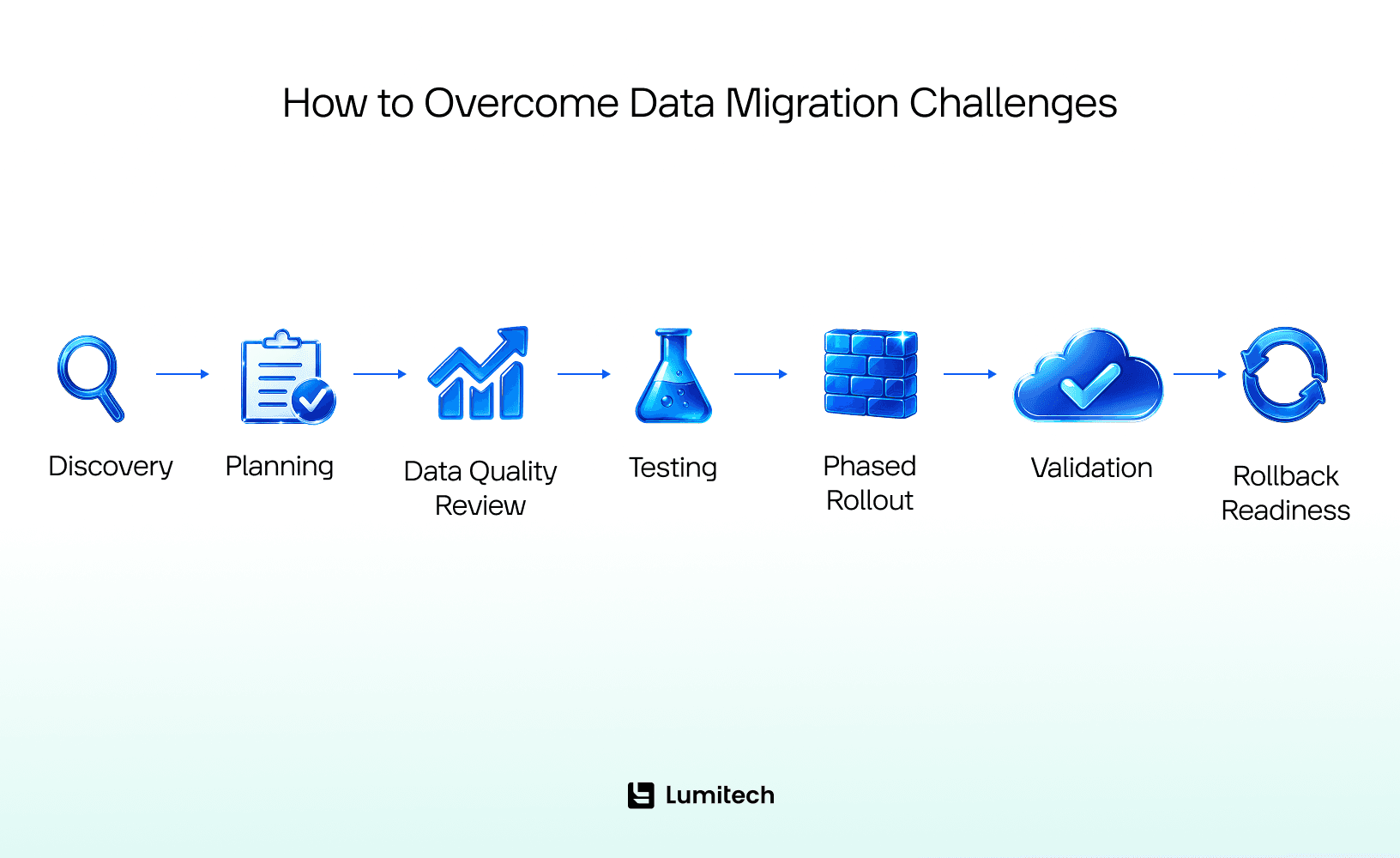
Here is what works.
Start with discovery, not optimism
A complete inventory of data sources, schemas, volumes, dependencies, interfaces, and business-critical workflows is non-negotiable. Cloud migration guidance from Google and AWS repeatedly emphasizes assessment, proof-of-concept work, and up-to-date inventory, as teams routinely overlook components that later break the migration.
If you plan a data migration project, the answer begins here: know what you have before promising where it will go.
Define business rules early
Technical mapping alone is not enough. Teams must agree on canonical definitions, transformation rules, data ownership, retention policies, and exception handling. Otherwise, validation devolves into arguments like “the numbers are different, but maybe in a good way.”
Migrate in waves
Phased migration reduces blast radius. Move lower-risk domains first, validate thoroughly, then proceed to high-criticality data. Where supported, use ongoing replication or CDC to keep the source and target synchronized until final cutover, reducing downtime risk.
Test like you assume something will break
Because something will.
Testing should include:
row counts and checksums
field-level reconciliation
referential integrity checks
performance testing
security testing
reporting validation
user acceptance testing
rollback rehearsal
AWS explicitly documents validation options, including row comparisons and ongoing validation with CDC-enabled tasks.
When internal teams do not have enough time or migration-specific expertise, experienced data engineering services can help with profiling, transformation design, validation, and cutover planning before small mistakes become expensive ones.
Build a rollback plan before cutover
A rollback plan designed after failure has already started is not a rollback plan. It is live improvisation with consequences.
Define rollback triggers, recovery time targets, data re-sync procedures, stakeholder communications, and ownership in advance.
Protect the source and the target
Migration performance tuning matters. AWS guidance discusses reducing source load, minimizing target bottlenecks, handling large objects, and sizing infrastructure appropriately.
That matters because some data migration projects fail not because of incorrect mapping but because of operational strain. You can absolutely migrate the right data in the wrong way and still bring production to its knees.
Treat governance as part of migration
Data ownership, access control, lineage, retention, masking, and audit logging should be embedded in the migration program. Otherwise, you are not modernizing. You are relocating in confusion.
The Final Countdown: Testing and Validation
You’ve planned, you’ve cleaned, and you’ve moved. Now comes the part where everyone holds their breath. Validation is the only way to overcome the data migration challenge with confidence.
Count Checks: Did 1,000,000 rows leave the old system and 1,000,000 rows arrive in the new one?
Sample Audits: Pick 50 random, complex records and manually verify every field.
Stress Testing: Can the new system handle the full data load under peakscope user traffic?
Remember, data migration isn’t finished when the progress bar hits 100%. It is finished when the business signs off that the data is accurate and actionable.
Final Thought
The hardest part of migration is not actually moving data, but deciding what deserves to move, what must change, and what can no longer be allowed to remain a silent business dependency.
That is why risks of data migration deserve more respect than they usually get. A good migration is not a heroic overnight event. It is the result of honest scoping, careful validation, ruthless cleanup, and realistic cutover planning. Boring? Sometimes. Necessary? Absolutely.
And that is the punchline nobody loves: the best migration is the one that feels uneventful. No grand speeches. No frantic rollback. No CFO discovering on Tuesday that “customer revenue” now means three different things in three dashboards.
Just accurate data, functioning systems, and a project team that gets to sleep.


