
Practical Guide to Construction Scheduling Software: What to Look For
If your project schedule exists primarily in someone’s head, on a whiteboard that nobody photographs, or in a Gantt chart nobody updates after week two — you are not managing a schedule. You are managing optimism.
- Construction
- Software Development
June 12, 2026
 AI Overview
A practical buyer’s guide to construction scheduling software: what it is, how it prevents delays, which features matter, and how contractors can choose the right tool for crews, subcontractors, and project timelines.


Construction scheduling software exists to fix this, and it does a better job of it than most contractors expect before they try it.
This buyer’s guide is designed to help contractors, subcontractors, general contractors, small businesses, and commercial and residential project teams decide what kind of scheduling software for construction they actually need, and why.
What Is Construction Scheduling Software?
Construction scheduling software is a digital application that helps contractors plan project timelines, assign crews, track dependencies, monitor progress, and spot delays before they turn into costly problems. In simpler terms, it is the difference between knowing exactly what should happen on-site next Tuesday and hoping someone remembers because “we talked about it last week.”
A good platform connects tasks, resources, subcontractors, milestones, deadlines, and project updates in one place. It helps project managers understand which activities depend on others, which crews are available, which tasks are slipping, and what needs attention before the schedule collapses like a badly installed ceiling grid. For some contractors, especially those having unique workflows, custom construction software development can be a better fit than forcing the business into a rigid off-the-shelf platform.
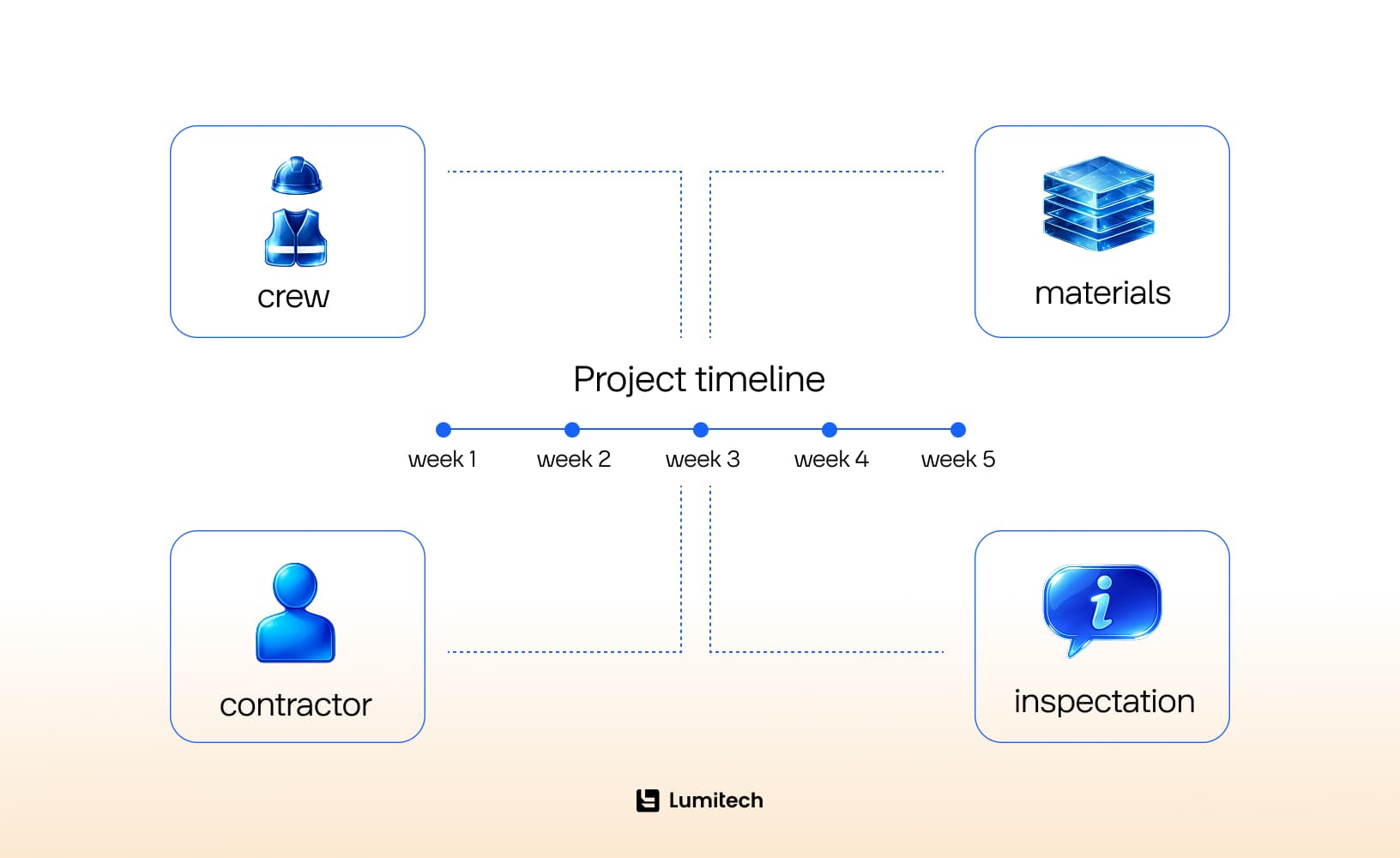
For a tool to earn its keep on your digital dashboard, it must utilize a logic-based network. This means it understands the physical relationships between tasks: it knows you cannot install a roof before the trusses are set, and you cannot set trusses before the walls are framed. By mapping these rules digitally, the platform acts as an automated early-warning system for your entire business operation.
The business case for adopting it is not complicated. According to KPMG's Global Construction Survey, only 31% of construction projects met their original deadlines within 10% over the past three years. These factors are inherently linked: poor sequencing, lack of resource planning, lack of visibility in real time, and poor communication between trades. Scheduling software can directly address all of these problems.
Why Do Construction Companies Use Specialized Scheduling Tools?
Construction companies use dedicated construction schedule software to ensure profitability, optimize crew productivity, and provide transparent documentation that mitigates legal disputes. It transforms scheduling from a reactive administrative chore into a proactive strategy for scaling business operations.
In this regard, scheduling is often one of the most practical entry points for digital transformation in construction, directly affecting margins, crew productivity, client communications, and delaying construction activities.
Forward-thinking firms implement dedicated scheduling software for construction companies because it eliminates the invisible money leaks that plague unoptimized job sites. Consider these three operational advantages:
Eliminating Idle Crew Costs: When a trade crew shows up to a site only to realize the previous trade isn’t finished, you still pay for their mobilization or risk losing them to another job. Software ensures crews arrive exactly when the site is ready for them.
Predictive Material Allocation: In 2026, you cannot afford to have $50,000 worth of specialty glazing sitting in a muddy yard for three weeks because the structural steel phase fell behind. Software aligns delivery dates with actual site readiness.
A Solid Defense Against Claims: When a client claims you delayed the project handover, a logic-linked digital history proves exactly which weather events, change orders, or design delays shifted the critical path. It turns your schedule into a legally defensible asset.
How Does Scheduling Software Prevent Costly Project Delays?
Advanced construction planning and scheduling software prevents delays by automatically calculating the Critical Path Method (CPM), identifying task bottlenecks before they occur, and instantly rerouting resources when unpredicted disruptions occur on the job site.
To understand how software stops a delay from snowballing, you have to understand the concept of the Critical Path. The Critical Path is the longest sequence of dependent tasks that must be completed on time for the entire project to finish on schedule. If a task on the critical path slips by one day, the completion date of the entire building slips by one day.
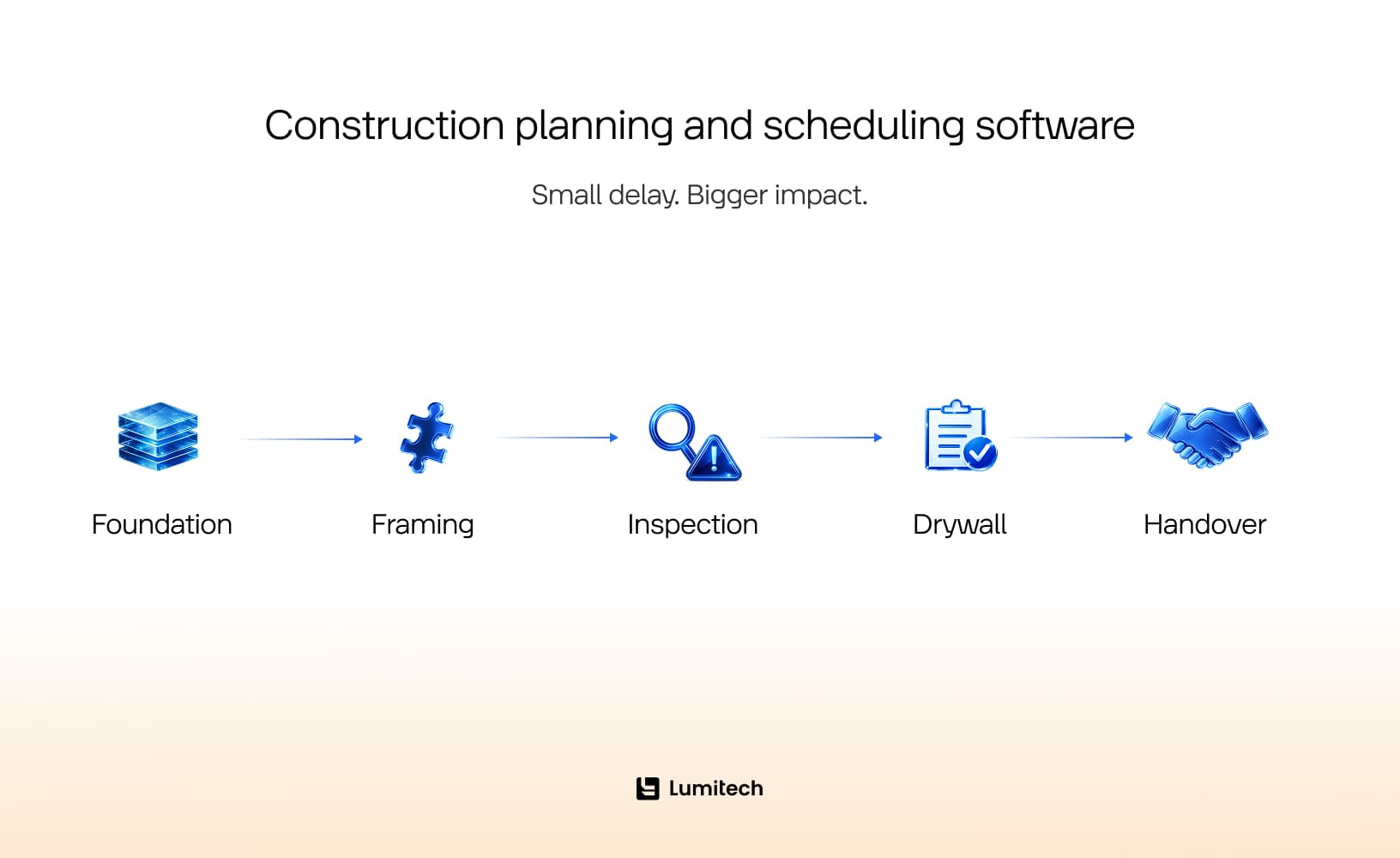
Using a modern construction schedule management software suite allows your team to visualize this critical path instantly, usually highlighted in bright red across your interactive Gantt charts. Procore’s construction scheduling guide also points out that effective schedules help teams coordinate activities, manage sequencing, and understand how delays in one area can affect the wider project.
If a non-critical task slips (like landscaping or interior paint color selection), the software calculates how much “float” or wiggle room you have before it threatens the handover date. If a critical task slips, the system immediately sounds the digital alarm.
For instance, if structural steel inspections are delayed by four days, the system automatically recalibrates every downstream task, shifts the subcontracts out, and alerts the project manager to authorize overtime for the framing crew to reclaim those four lost days before the error impacts the client. As AI in construction matures, scheduling tools are also starting to predict delay risks earlier through analyzing historical project data, resource conflicts, weather patterns, and recurring bottlenecks.
Which Features Actually Matter in Construction Scheduling Software?
The features that matter are the ones tied directly to your day-to-day pain points — task dependencies, crew assignment, baseline comparison, and mobile access. Everything else is secondary until those are solid.
Construction schedule software comes in a wide range of configurations, from lightweight chart tools to full-featured platforms with resource management, budget integration, and automated alerts. Here is what to actually evaluate:
Task dependencies and logic linking. At the essence of scheduling is this: if framing can’t start until the foundation is completed, and the rough-in can’t start until framing has been completed, then the system must enforce that and recalculate any downstream dates when something gets delayed in those three phases.
Resource and crew management. It’s necessary to know who is scheduled to do a task and whether that person will be double-booked at another location. Look for tools that can help assign labor, equipment, and subcontractors to the various tasks and then flag potential conflicts before they become a problem in the field.
Baseline and variance tracking. The original schedule is your benchmark. Software for construction scheduling that cannot compare the current schedule against the baseline — and show you exactly how much each phase has drifted and why — gives you visibility without accountability.
Mobile access. Schedules are useless if the people who need to follow them cannot see them from a job site. Field-accessible apps that update in real time are now a baseline expectation. Autodesk also frames scheduling tools as a way to centralize project timelines in the cloud, helping teams access up-to-date schedule information rather than working from outdated files or disconnected spreadsheets.
Integration with other tools. The best construction scheduling programs connect to estimating, budgeting, and document management platforms, resulting in the immediate processing of any changes made to the schedule with an automatic review of costs instead of having an unrelated discussion three weeks later.
Notification and alert systems. Project schedules will not drive work but will do this through notifications or alerts that proactively notify the project manager of overdue tasks, potential dependency issues, or resource conflicts to help keep the team informed of issues before they happen.

Scheduling Software vs. Project Management Software: What’s the Difference?
While project management software handles the entire holistic project ecosystem — including daily logs, budgets, RFIs, submittals, and change orders — dedicated construction project scheduling software focuses strictly on time, logic-linked task execution, resource loading, and critical path analysis.
Think of it this way: project management (PM) software provides the entire toolbox, while scheduling software is the precision laser level. Many broad PM platforms claim to “do scheduling”; however, the scheduling tools on these systems are generally just a sophisticated version of a To-Do list or calendar that requires you to move each individual bar whenever there is a scheduling change.
When you use dedicated software for construction scheduling, you gain access to advanced algebraic modeling. You can perform hypothetical analyses, for instance: What if the drywall delivery is late by two weeks? What if we add a second crew to the masonry phase?
A standard PM tool cannot answer those questions mathematically; a dedicated scheduling engine can tell you down to the dollar and the hour whether adding resources will actually shorten your timeline or just crowd the job site.
What Types of Construction Scheduling Tools Are Available?
Construction scheduling tools range from simple calendar-based apps to advanced CPM scheduling platforms used for large commercial, infrastructure, and industrial projects. The right category depends on the complexity of your work, not on which product has the loudest demo.
Basic construction scheduling programs usually include calendars, task lists, assignments, reminders, and simple timeline views. These are useful for small teams, short projects, and residential jobs where the schedule is fairly straightforward.
Mid-level scheduling tools often include Gantt charts, dependencies, mobile updates, templates, team notifications, and basic reporting. These are a good fit for growing contractors that need more structure but do not want enterprise-level complexity.
Advanced scheduling software for construction may provide critical path method scheduling, resource loading capabilities, baseline comparison, delay analysis, portfolio scheduling, as well as permissions, audit trails, and integrations with cost and document systems. These tools are widely used for commercial construction, infrastructure, and large capital projects.
There are also specialized tools for field planning and short-interval scheduling. These focus less on the entire project lifecycle and more on the next few weeks of work. They help superintendents, foremen, and subcontractors coordinate daily and weekly execution. A specialized mobile app for a digital painting startup, for example, could focus on crew dispatching, room-by-room progress tracking, drying-time dependencies, punch list updates, and client approvals rather than full-scale enterprise project controls.
When comparing categories, contractors should ask a simple question: do we need a lightweight tool to coordinate work, or a schedule control system that supports claims, owner reporting, and complex dependencies? Buying too little creates chaos. Buying too much creates expensive shelfware with a login screen.
Buyer’s Guide: Choosing the Right Tool for Your Specific Business
To choose the right construction scheduling software for contractors, you must match the platform’s mathematical complexity to your particular operational scale, project types, and the digital literacy of your field teams. A tool that is perfect for a multi-million dollar commercial build will completely paralyze a boutique residential remodeling firm. Tool comparison resources can also be useful at this stage; for example, ProjectManager’s roundup of construction scheduling tools shows how widely platforms differ in features, complexity, and target users.
Let’s break down the exact software profiles required for different market segments to ensure you don’t over-buy or under-budget.
1. General Contractors vs. Trade Subcontractors
If you are shopping for construction scheduling software for general contractors, your primary need is macro-level coordination. You need to manage dozens of independent businesses, track high-level milestones, and report clean data back to the project owner. Your tool must focus on contract milestones, master delivery schedules, and high-level critical paths.
On the other hand, if you are looking at construction scheduling software for subcontractors, your requirements are different due to the amount of detail that you need at a micro level. You don’t care about the owner’s financing timeline; you are focused on your people, trucks, and tools. You need high-density labor routing, crew dispatching modules, and short-term “three-week lookahead” views that keep your crews working at 100% capacity without gaps.
For niche trades, even software development services for painting companies can make sense when standard scheduling tools do not account for crew rotations, surface preparation stages, drying times, rework loops, and multi-site dispatching.
2. Small Businesses vs. Enterprise Operations
Investing in construction scheduling software for small businesses requires prioritizing low learning curves and fast setup times. Because of the lack of dedicated schedulers in small businesses, the business owner or one project manager typically takes on this responsibility. If a scheduling program requires a two-week training course just to learn how to insert a milestone, it could end up sitting on your shelf, unused. Look for scheduling programs that have easy-to-use visual drag-and-drop Gantt charts and basic mobile applications that won’t cause your project supervisors to complain.
At this scale, you should also look for versatile scheduling software for construction that integrates smoothly with your accounting tools (like QuickBooks) so that scheduling a milestone automatically prepares the next progress billing invoice.
3. Commercial vs. Residential Frameworks
The structural needs of a project completely change its scheduling logic. Selecting commercial construction scheduling software means entering the world of strict compliance, heavy regulations, and thousands of line items. These projects require enterprise-grade engines (such as Oracle Primavera P6 or ASTA Powerproject) capable of handling strict resource loading, cost loading, and earned value management (EVM) tracking.
On the flip side, residential construction scheduling software focuses on client communication and deadlines for design selection. On a custom home build or a major remodel, the project is often delayed because the homeowner hasn’t yet picked out their kitchen tiles or plumbing fixtures. Residential software (like CoConstruct or Buildertrend) excels at linking the schedule directly to the client portal, sending automatic reminders that say, “If you do not select your flooring by Friday, the entire project moves back two weeks.”

What Should Be Included in a Buyer’s Checklist?
Picking the right tool comes down to answering a few questions honestly before you start a free trial:
What is your actual problem? Late projects, crew conflicts, poor subcontractor coordination, and bad client communication are all scheduling problems, but they have different solutions. Know your root cause before evaluating features.
How many people need to use it? A one-man GC only needs one program license, but if you have ten people managing projects, you will need multiple licenses because of scaling pricing and difficulty adopting a software package for numerous users.
What is your average project complexity? A house remodel and a hospital are not the same scheduling problem. Match the tool’s capability to the complexity of your typical project, not your most complex one.
Does it need to integrate with what you already use? If you run your estimates in Sage or your financials in QuickBooks, check integration before you commit. If clients, subcontractors, or office teams need browser-based access to schedules, reports, or approvals, web development may become part of the solution rather than a separate nice-to-have. Disconnected tools lead to manual data entry, which is exactly the kind of friction that causes people to abandon software within a month.
Will your team actually use it? A great calendar does not help if the site managers update it once a week and the crew leaders have never seen it. Mobile-first tools that are easy to use will be utilized. Complex desktop platforms with steep learning curves get abandoned. Factor into your evaluation how employees will adopt the tool. If your team works primarily in the field using iPhones and iPads as their main tools, iOS app development may be very important when the scheduling process needs offline access, push notifications, photo updates, and quick task confirmations from the job site.
What does it cost to maintain, not just to buy? Subscription tools have ongoing costs. Enterprise platforms have implementation fees. Calculate total cost of ownership over 24 months, not just the monthly rate.
Ask for a real demo with your own data. A 30-minute vendor demo built on their sample project tells you very little. Ask to walk through a schedule that looks like your actual work — a realistic number of tasks, your trade mix, your typical project duration. How the tool handles that scenario tells you far more than a polished walkthrough of its best features.
A scheduling tool should be evaluated against measurable outcomes, not just usability. Can it reduce idle crew time? Shorten update cycles? Improve subcontractor response time? Make delay reasons visible? If you cannot define what success looks like before implementation, you will struggle to prove value after rollout.



What Mistakes Should Contractors Avoid When Buying Scheduling Software?
Contractors should not purchase software until they define their scheduling process, choosing tools based only on features, ignoring field adoption, and failing to connect scheduling with real project workflows. Buying the wrong tool will not resolve the issues caused by an inadequate scheduling process; rather, it will simply digitize those issues.
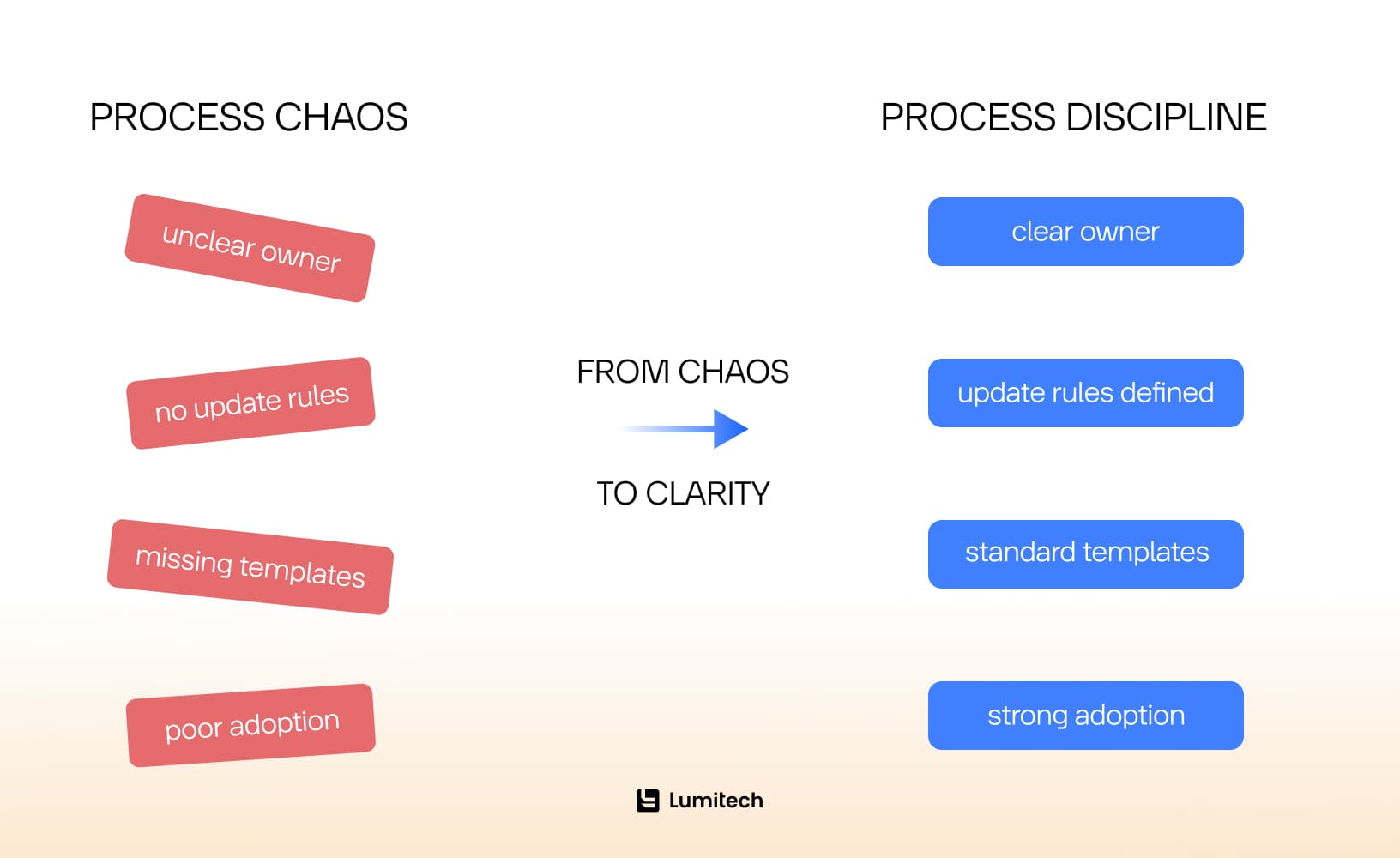
One common mistake is buying the most powerful tool when the team needs the most usable one. Advanced scheduling features are valuable only if the team has the skills and discipline to maintain them. Otherwise, the schedule becomes a museum piece: impressive, expensive, and rarely touched.
Another mistake is ignoring field users. If superintendents, foremen, and subcontractors cannot easily update the schedule, the project manager will be left maintaining a fantasy version of reality.
Contractors also underestimate implementation. Even the best construction project scheduling software needs templates, naming standards, update rules, roles, permissions, and reporting expectations. Without those, every project team invents its own method, and consistency disappears.
A final mistake is treating the schedule as separate from the rest of the project. Schedule delays often connect to RFIs, submittals, procurement, quality issues, change orders, and client decisions. If those connections are invisible, the software can show that a delay exists but not why it happened.
How Do You Implement Scheduling Software Successfully?
Successful implementation starts with a clear scheduling process, a pilot project, realistic training, and consistent update rules.
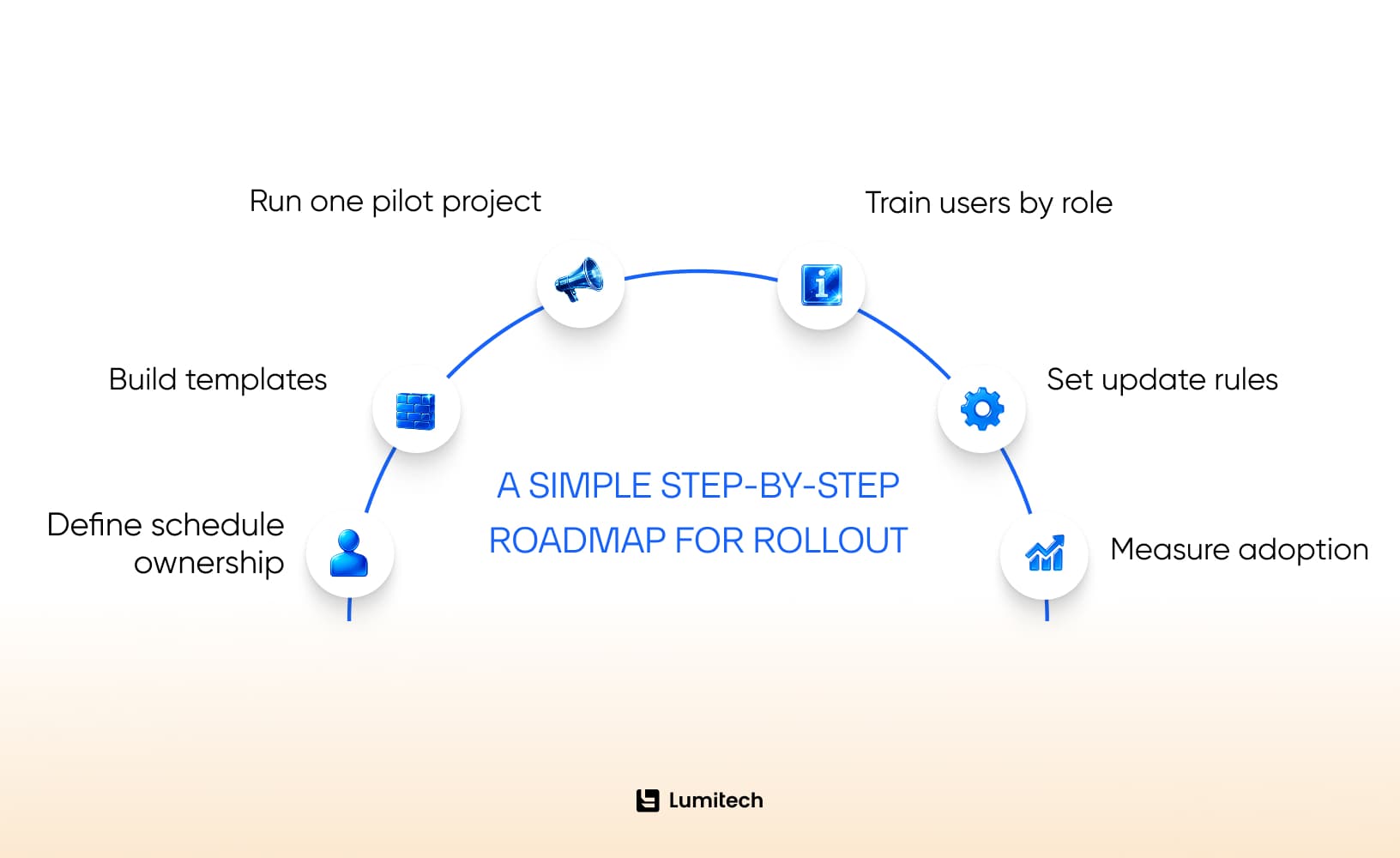
Start by defining who owns the schedule. Decide who creates it, who updates it, how often updates happen, and what counts as reliable progress information. If ownership is unclear, the schedule will decay quickly.
Develop templates for different types of projects so teams can get up and running quickly, maintain consistency across multiple projects, and make efficient use of existing assets — e.g., one project manager doesn’t have to reinvent the wheel every time (just with different terminology).
If the goal is to turn an internal scheduling workflow into a scalable product, SaaS development can help contractors and construction-tech startups offer their templates, permissions, dashboards, and reporting functions as subscription-based products.
Run a pilot project so you can assess your tool’s performance with the constraints, people, and schedule updates from that project.
Train users by role. Project managers need different training from field supervisors, subcontractors, executives, and office staff. Nobody wants a three-hour webinar about features they will never touch.
Finally, measure adoption. Are schedules being updated? Are field teams using mobile tools? Are reports easier to produce? Are delays being spotted earlier? If not, fix the process before blaming the software.
Final Thoughts: What Should Contractors Look for First?
Contractors should look for scheduling software that improves visibility, strengthens coordination, supports field adoption, and helps teams act before delays become expensive. Good scheduling software should answer practical questions every week: What is supposed to happen next? Who owns it? What is blocking it? What changed? What is at risk? What will happen if this task slips?
That is the value of construction schedule software when they are chosen and implemented well. They turn scheduling from a static document into a living project control system.
The best tool for your company depends on your projects, team size, trade mix, reporting obligations, and scheduling maturity. A small residential builder, a drywall subcontractor, and a commercial GC do not need the same system. They do, however, need the same outcome: fewer surprises, better coordination, and projects that finish closer to the date everyone promised before reality got involved.


