
Transportation App Design: A UX Research Framework for Multi-Role Logistics Platforms
In this article, you’ll find a playbook of practices proven on logistics and transportation projects. We’ll lean on a Lumitech case—a multi‑tenant SaaS platform for managing assets, people, and training—with live analytics (78+ metrics), “smart” booking with anti‑conflict logic, and a visual planning calendar.
- UX/UI Design
- Transportation
August 11, 2026
 AI Overview
Transportation app design shapes how riders, drivers, and dispatchers book, track, and manage trips in one interface. Service blueprinting, field testing, conflict-aware calendars, and accessible forms cut friction at each step. Well-instrumented platforms track 78+ metrics to catch problems early. Without structured UX research, transportation apps show slower bookings, more errors, and lower trust.

Transportation isn’t just “point A to point B.” It’s dispatchers and operators, drivers and couriers, warehouse managers and training teams, customers and partners. Dozens of roles, thousands of scenarios, millions of data points — meeting in a single interface. That’s why the top UX research practices for transportation aren’t abstract rules; they’re tools for making product decisions under pressure: real time, complex processes, and strict KPIs.
This isn’t theory; these are the kinds of decisions that move the needle in the field, not just in slide decks. So, explore transportation UX best practices shared by Lumitech experts below.
Why Transportation UX Research Is Different
What differs transportation UX research from other niches? There are three main points you need to know.
Many actors, conflicting goals. Dispatchers chase SLAs, drivers need safety and shortest routes, training managers fill classes without overlaps, compliance enforces rules. Research must “braid” these requirements into one workable flow.
Rugged context of use. Gloves, glare, weak connectivity, on‑the‑go interactions. Designs born in cozy meeting rooms often crack in the field.
Data → decisions, not the other way around. Measurable impact beats beauty for beauty’s sake. UX research in transportation sits next to product analytics and operational metrics.
Want to learn more and read explore use cases? Read our shuttle management platform for organizations to book buses use case!
Ask any product owner running a multi-tenant logistics platform what breaks first, and the answer is rarely the algorithm — it's the interface. A dispatcher juggling three tabs to resolve a booking conflict, a driver trying to read a status column in direct sunlight, a trainer losing ten minutes to a form that won't save a draft: these are the moments that quietly erode adoption long before anyone blames the backend.
Nielsen Norman Group's research on complex, domain-specific applications backs this up: enterprise systems built for non-linear, expert workflows face interface-design challenges that are structurally harder than what generalist consumer apps deal with — the usability heuristics that work for a shopping app assume a simplicity these systems don't have. A May 2026 Forbes Technology Council analysis found the same pattern outside software categories, too: transportation digital transformations most often stall not because of the technology itself, but because tools get imposed top-down without input from the people on the docks and in the cabs who have to use them daily.
Transportation isn't just "point A to point B." It's dispatchers and operators, drivers and couriers, warehouse managers and training teams, customers and partners. Dozens of roles, thousands of scenarios, millions of data points — meeting in a single interface. That's why the top UX research practices for transportation aren't abstract rules; they're tools for making transportation app design decisions under pressure: real time, complex processes, and strict KPIs.
This guide walks through a playbook of practices proven on logistics and transportation projects, in the order those decisions actually get made — from service blueprinting and field research through table design, forms, and calendars, to the metrics that catch problems before they become churn. We'll lean on a Lumitech case — a multi-tenant SaaS platform for managing assets, people, and training — with live analytics (78+ metrics), "smart" booking with anti-conflict logic, and a visual planning calendar.
Why Multi-Role Transportation Platforms Break Generic UX Rules
What differs transportation UX research from other niches? There are three main points you need to know.
Many actors, conflicting goals. Dispatchers chase SLAs, drivers need safety and shortest routes, training managers fill classes without overlaps, compliance enforces rules. Research must "braid" these requirements into one workable flow.
Rugged context of use. Gloves, glare, weak connectivity, on-the-go interactions. Designs born in cozy meeting rooms often crack in the field.
Data → decisions, not the other way around. Measurable impact beats beauty for beauty's sake. UX research in transportation sits next to product analytics and operational metrics.
Getting user experience in transportation platforms right means designing for all these constraints at once, not one at a time.
Want to learn more and explore use cases? Read our customer story on the shuttle management platform for organizations to book buses!

Start With a Service Blueprint Before Any Screen Gets Designed
What to do. Build a service blueprint: front stage and backstage, roles (driver, dispatcher, trainer, admin), objects (vehicles, equipment, courses), data handoffs, manual bottlenecks vs. automations. In parallel, map stakeholders and goals. When working on UX research for transportation platforms, it is crucial to start with a blueprint.
Why it works. Without a whole-system view, you'll improve a table screen that breaks scheduling because a neighboring system creates booking conflicts. In the Lumitech case, the job was explicitly systemic: one place where assets, people, training, booking, and access control come together for multiple companies in the same platform.
Field Research Uncovers Constraints a Meeting Room Never Will
What to do. Observe real work: in the cab, on the warehouse floor, in the training room. Capture constraints: gloves → larger touch targets; vibration → tactile feedback; sunlight glare → high contrast and outdoor modes.
How it informs design. In our logistics SaaS, decisions on calendars, statuses, and forms were tested with experts who rely on schedules and instructions, not pixels. The result: transportation app design shaped by real scenarios, not idealized ones.
Want a real case shared by Lumitech? Here is our charter bus management platform case study you may have missed.

Break the Product Into Jobs-to-Be-Done, Not Feature Lists
What to do. Decompose the product into jobs-to-be-done: "assign a course fast," "check a resource conflict," "see who's overdue for certification." For each role, build a task skeleton with priorities and constraints.
What it produced. Booking in the Lumitech platform accounts for instructor availability, capacity, prerequisites, and conflicts — because role tasks were modeled and tested long before pixels. Planning accuracy improved; manual coordination dropped.
Once jobs are mapped, teams increasingly validate the riskiest ones with a fast, focused prototype before committing to a full build — see our guide to AI MVP for logistics.
Keep the Visual Language Restrained Even in a Data-Heavy System
The main challenge when working on transportation app design is to reserve a professional, restrained UI language for a data-heavy enterprise system but still make it pleasant, legible, and fast.
So, among the Lumitech's transportation UX best practices were the following:
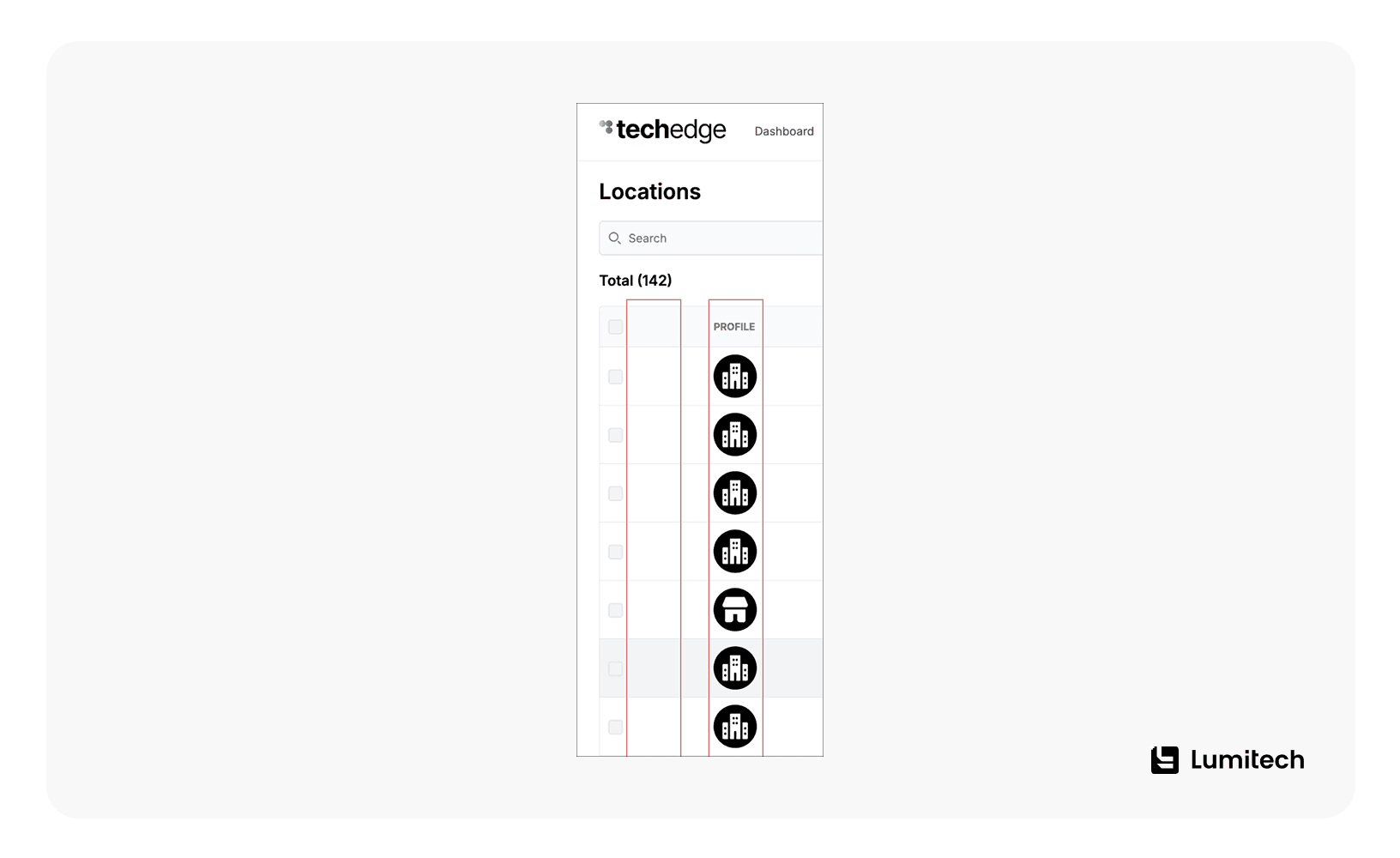
Neutral base palette as the canvas.
Clear contrast for interactive elements (buttons, links) so actions read at a glance.
Custom minimalist iconography to enrich visually without image overload.
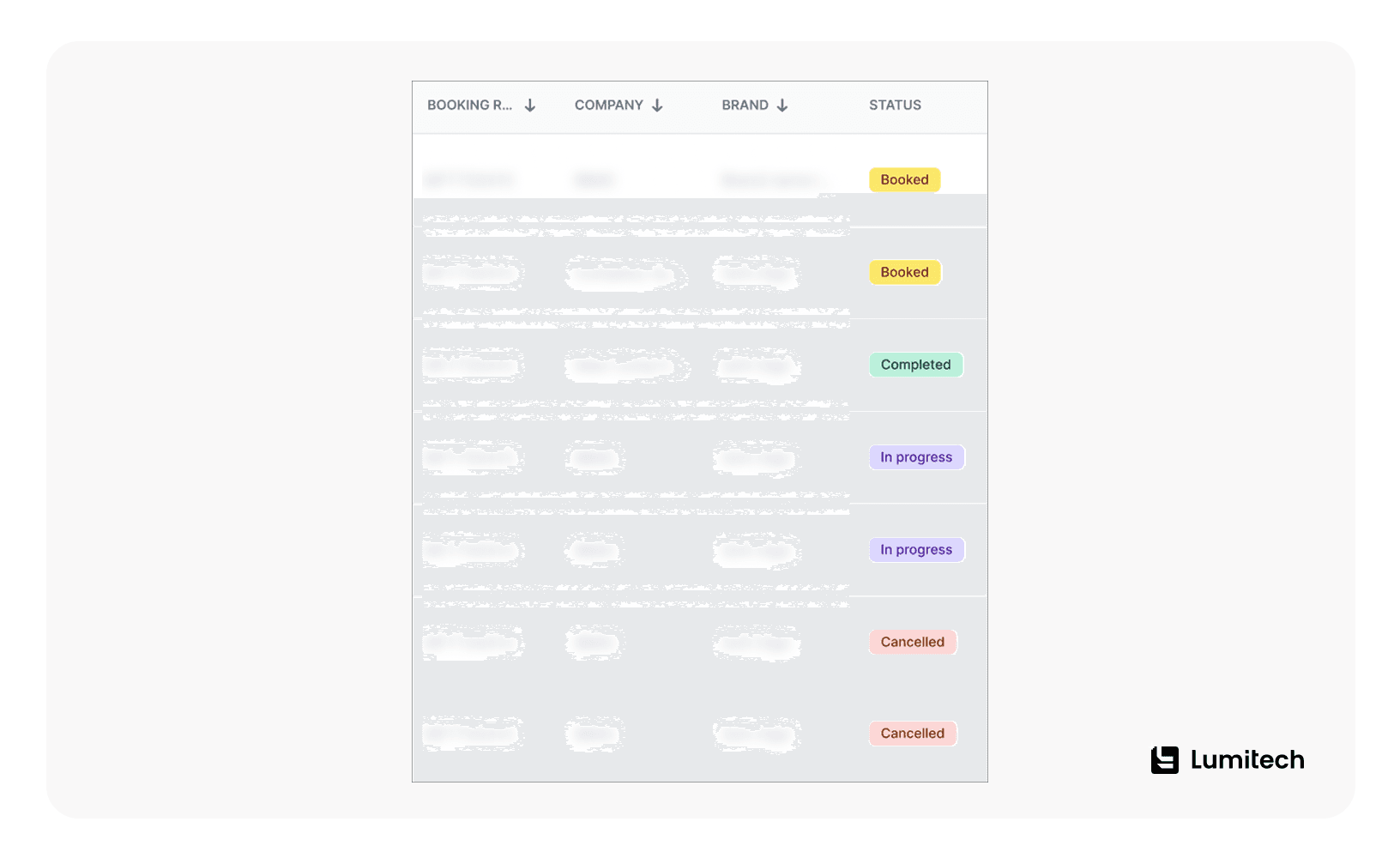
Color accents sparingly — e.g., booking status labels: soft tones that convey state instantly without breaking the platform's calm, professional voice.
Looking for development services for logistics industry? Lumitech is ready to bring your ideas to life.
Design Big Tables for Scan Speed, Not Just Density
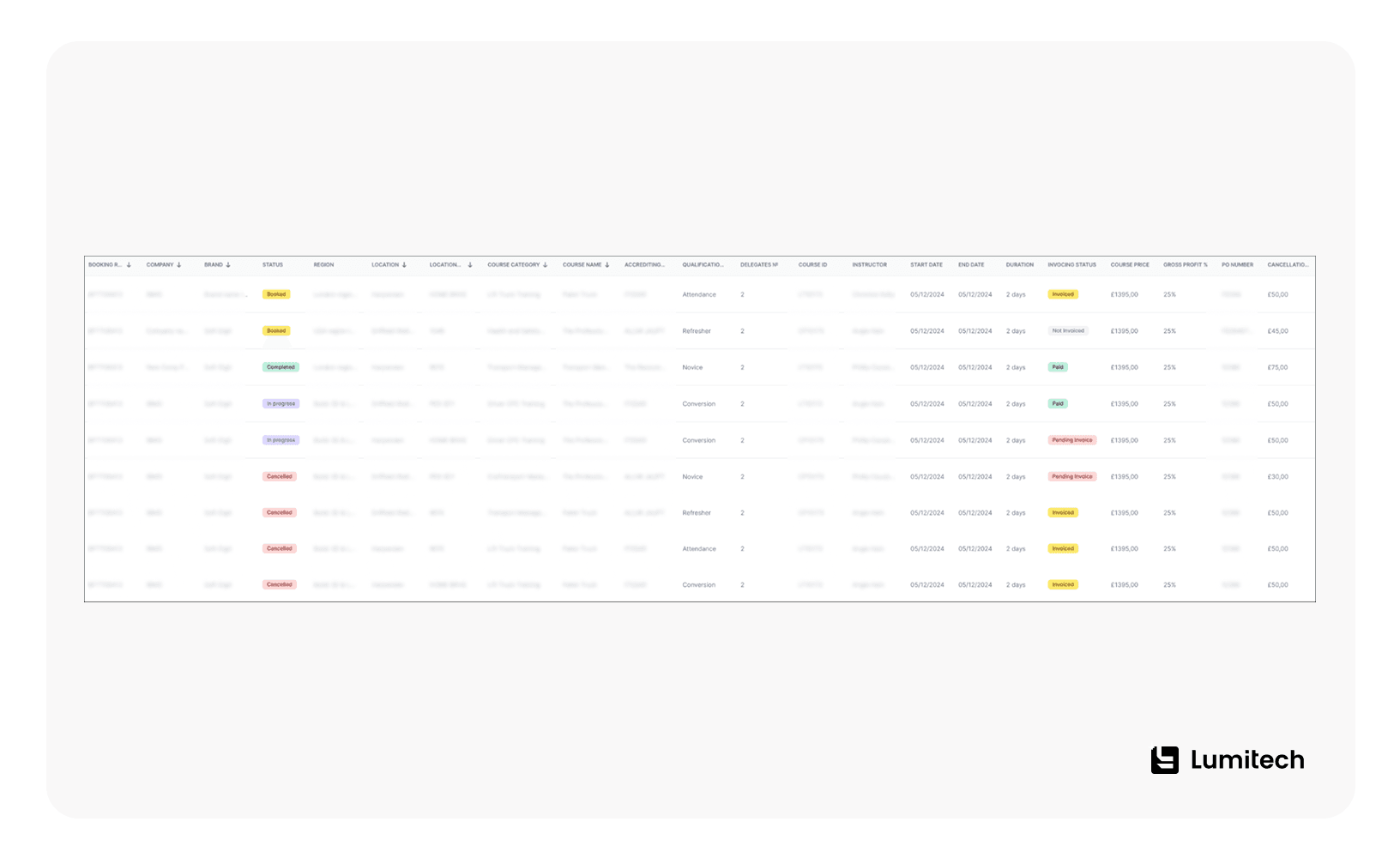
In our case, we had "Assets," "Personnel," "Bookings" tables — many columns, horizontal scroll, and critical details.
To ensure the best user experience in transportation platforms, Lumitech team used the following techniques:
Technique | What it solves |
|---|---|
Column prioritization | Identifiers and statuses on the left, detail columns on the right |
Intelligent truncation | Ellipsis + tooltips where trimming doesn't kill meaning |
Pinned key columns + sticky header | No lost context on long scrolls |
Adjustable density | Compact/comfortable toggle |
Semantic typography + status icons | Faster scanning |
Keyboard navigation + in-table search | Incremental search without a mouse |
We deliberately balanced between density and readability while preserving a consistent grid and spacing. Users find what they need faster — and the interface remains calm and coherent.
Simplify Complex Forms Without Losing Required Detail
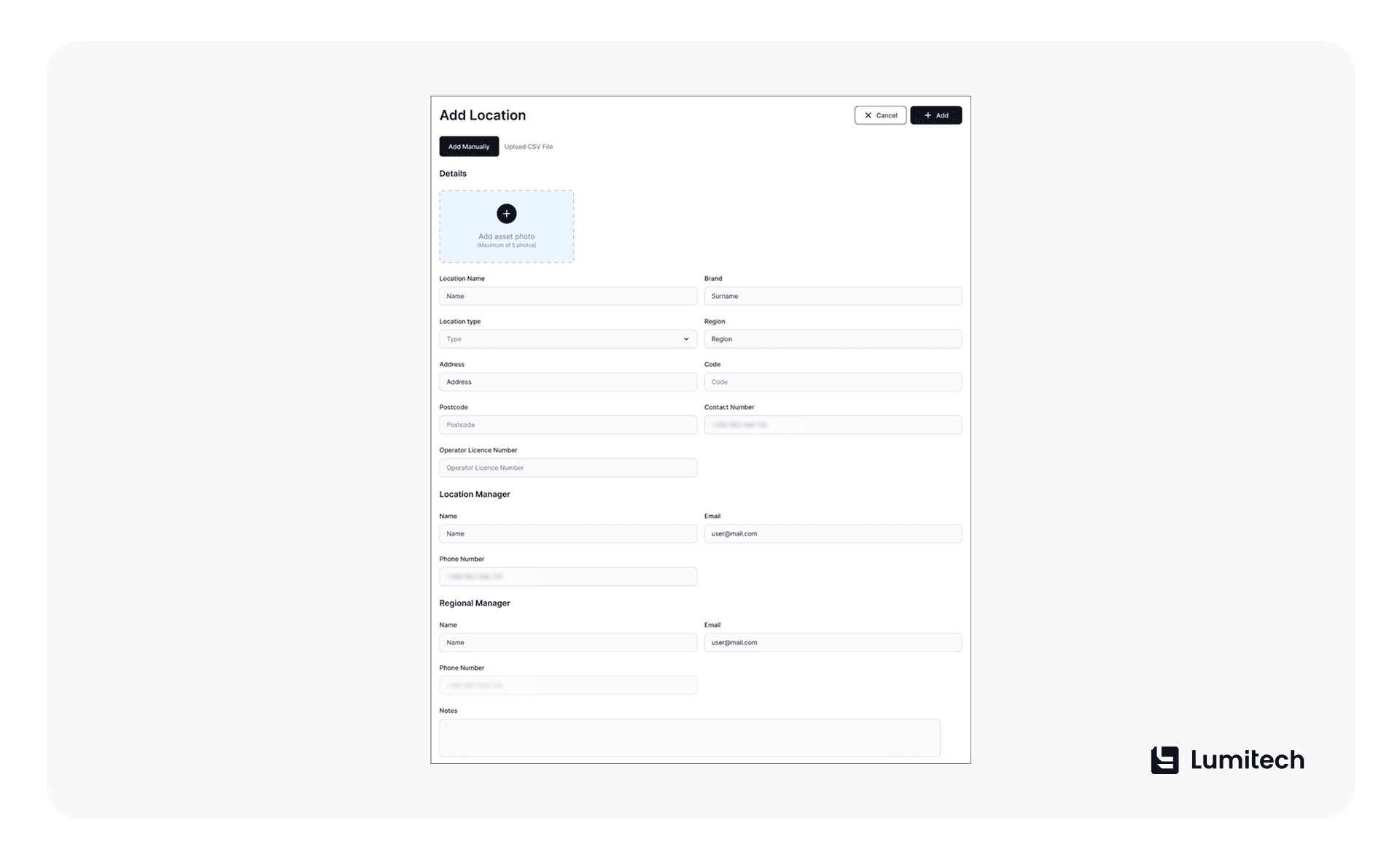
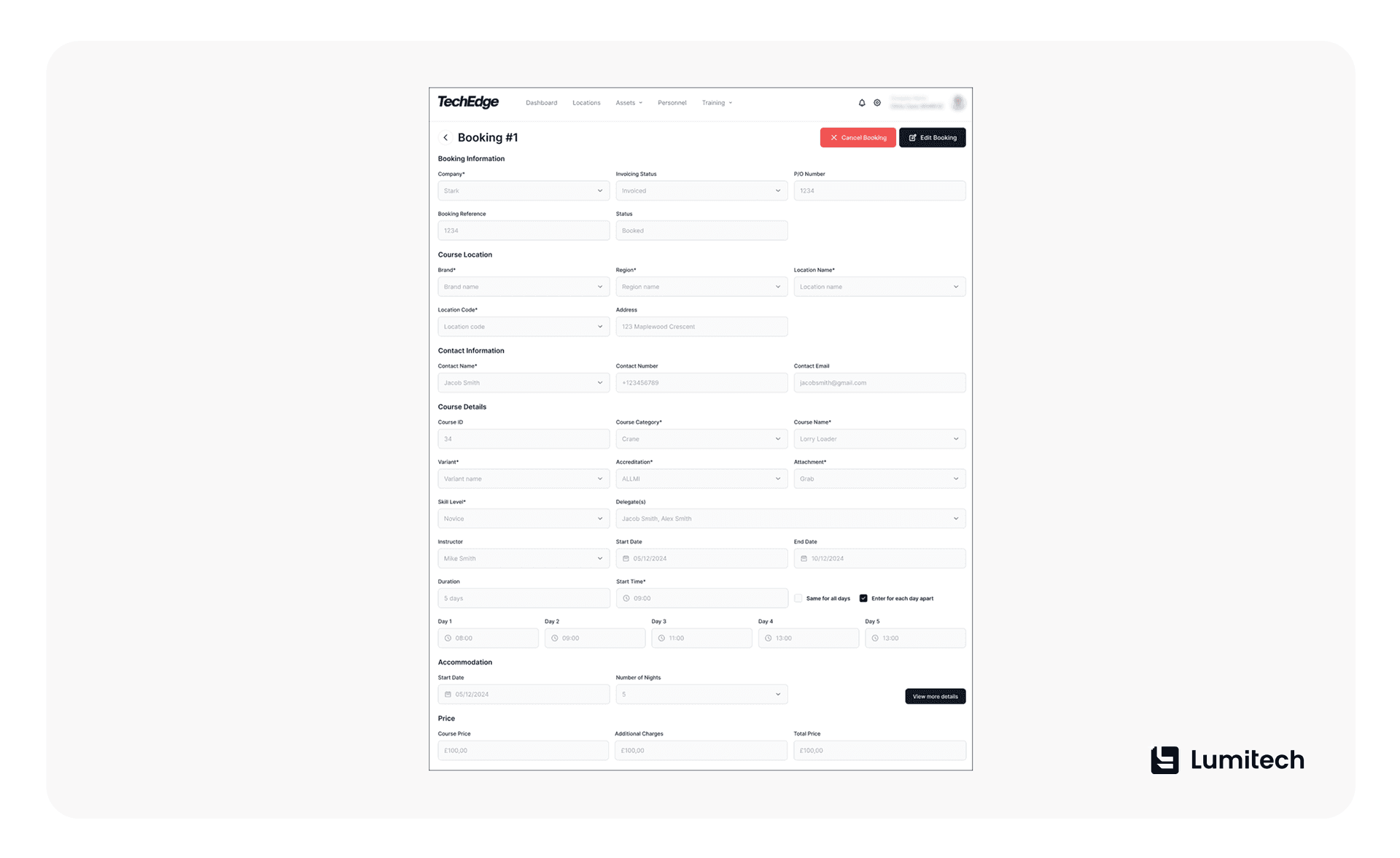
When improving user experience in transportation apps the problems are large create/edit forms that make it easy to lose focus and hard to avoid mistakes.
Lumitech offers the following solutions:
Logical segmentation into blocks with short headings.
Visual emphasis on key fields (size/contrast/position).
Inline help and validation next to the field, not "somewhere up top in red."
Clear marking of required fields.
Errors that are noticeable yet calm — no sirens, but unmistakable.
Step save and auto-drafts for longer inputs.
Feeling stuck with finding reputable web development services? Lumitech has a proven experience working with diverse transportation platforms and solutions.
Use Multi-Purpose Pop-Ups That Signal Type at a Glance
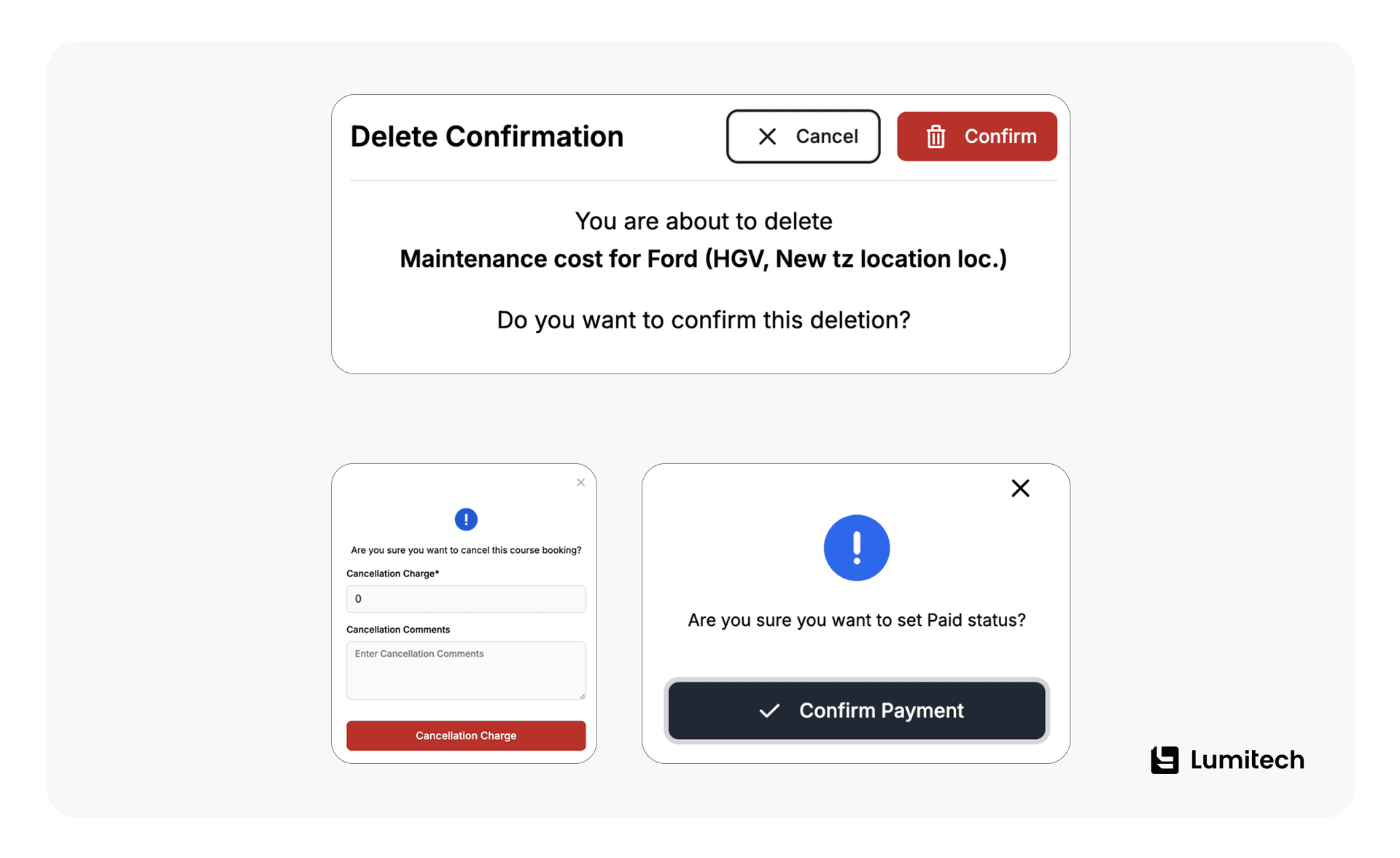
Transportation UI/UX design often relies on several types of pop-up messages to communicate quickly without breaking focus. When bright colors and attention-grabbing graphics are off the table, modals still must be distinguishable by type: error, warning, info.
The solution for improving user experience in transportation apps is to use discreet iconography and muted button tones. This way, the visual language stays unified while the purpose is obvious: clear messaging without strobe effects or visual noise.
Build a Calendar That Prevents Conflicts Before They Happen
In transportation, schedules are brittle. One wrong slot triggers a chain of cancellations. Therefore, you can use these transportation booking UX practices proposed by Lumitech's professionals:
Built-in conflict checks: instructor, resource, room, prerequisites.
Change preview before confirmation.
Flat, glanceable availability and instant filtering by roles/locations/asset types.
Clear if-then rules + a decision log for audit.
Match Research Methods to Development Stage and Risk
The UX research for transportation platforms along with the process of development should contain the following:
Discovery interviews, field observations, diary studies — to catch real-world constraints.
Cognitive walkthroughs and task mapping for mission-critical operations.
Moderated and unmoderated usability tests — tight loops on prototypes, especially for tables, calendars, and forms.
Incident diaries (where processes break), customer journey mapping in transportation UX, and A/B tests in production.
A research repository: a shared insight base, so teams remember not just the numbers but the context.
The classics suggest combining methods by stage (discovery/alpha/beta/live) and hypothesis risk. If you want to dive deeper into the niche, see NN/g — Research Methods and human-centred design principles in ISO 9241-210.
Lumitech's mobile app development services combine UX research with product engineering to turn validated workflows into scalable mobile applications. We can help you move from research findings to prototypes, production-ready interfaces, and measurable improvements in task completion, reliability, and operational efficiency.
Instrument the Product With Metrics That Catch Problems Early
User experience in transportation platforms also requires advanced and detailed product analytics. So, what should you take into account as your priority?
TTO (time-to-operate): time to key action — create a booking, form a class, issue a record.
Conflicts and errors per 100 bookings.
Time-to-find in tables, plus scroll depth and tooltip click share.
Share of successful task runs completed without hints.
Calendar conversion: bookings initiated directly via the calendar.
NPS by role: driver, dispatcher, and admin sentiment tracked separately.
In our case, live dashboards with 78+ metrics let managers see the problem area and treat, not guess.
The moment a transportation platform crosses two or three roles, gut feel stops being reliable — a dispatcher’s read on urgency and a driver’s read on delay are two different data sets. We built 78+ metrics into the Tech Edge dashboards specifically so teams stop debating impressions and start acting on numbers — whether that means catching a booking-conflict spike before it hits support tickets, or seeing which column in a table nobody ever scrolls to



Give Complex Processes One Consistent Design Language
Unified grid, typography, tokens for colors and states, predictable fields and tables — these cut decision time and rein in UI variance. It shines in a multi-tenant setting: different companies share one foundation; different modules share behaviors.
In Lumitech's Tech Edge platform, this is the key to scalability: one codebase, isolated data, consistent patterns.
This is also where the broader picture matters. According to McKinsey's survey of more than 250 shippers and logistics providers, 87% had already grown their technology investments and 93% planned to keep increasing spending — but that money stalls without the operational groundwork underneath it: a unified data layer, one consistent design system.
See our guide to digital transformation in logistics and transportation for how a consistent design language fits into TMS/WMS/ERP integration, not just the interface layer. And if the platform itself needs to serve multiple tenants from one codebase, that's exactly the kind of architecture our SaaS development services are built around.
Build Accessibility Into the Base Layer, Not as a Patch
Accessibility is one of the key points for most types of apps, including user experience in transportation platforms. Don't forget to check the following parameters:
Contrast and outdoor readability.
Large touch targets.
Offline/degraded modes for poor connectivity.
Keyboard support and assistive tech.
Note: see WCAG 2.2 for current accessibility criteria.
Write Notifications That Speak the Language of Role and Action
In transportation UX design, the emails/pushes/banners/modals should speak the language of role and action: "what happened," "what changes," "what to do now." In other words, microcopy solves as much as pixels.
Need a Discovery Sprint for Transportation?
We’ll run field interviews and tests, build a service blueprint and a prioritized task map by role. In 3–4 weeks you’ll have a set of validated UX decisions (tables, calendar, forms) and a line of sight to impact on your metrics.

Govern Research So Insights Don't Get Lost
What about user experience in transportation platforms when it comes to research governance? Our experts believe these features should be always taken into account:
Unified repository (tags: role, scenario, component, risk).
Decision logs: why A over B.
Show-and-tell demos and "insight releases" for engineers and stakeholders.
A "what won't change" section to lock invariants (e.g., "conflicts are checked before confirmation").
By the way, systematic knowledge sharing is as important as data collection. Consider the Atomic Research approach for research repositories.
Ship Fast, Low-Risk Iterations Instead of Big Redesigns
The best way to improve a 20-column table is a series of sprints: prioritize columns, add a compact mode, pin key columns, enable per-column search — and run each hypothesis with users. Lumitech's universal principle is to have minimum risk per iteration with maximum feedback.
Five Pitfalls That Undo Good Transportation UX Work
Most transportation UX programs don't fail from one bad decision — they fail by repeating the same five mistakes regardless of team size or budget. Here's how each one shows up in practice, and how Lumitech's process is built to avoid it.
Starting with visuals. Pretty skins fall apart when role tasks are undefined — pixels should follow research, not lead it. Lumitech avoids this by opening every engagement with a service blueprint and stakeholder map before a single screen gets sketched.
Ignoring context. Gloves and glare kill half of a carefully crafted aesthetic within a week of real use. Lumitech tests in the field — cab, warehouse, training room — so touch-target size and contrast ratios are set from real conditions, not assumptions.
Cramming "all data on one screen." Tables that hoard every field instead of ranking meaning turn scanning into a chore. Lumitech's tables use column prioritization, intelligent truncation, and an adjustable density toggle to keep large data sets scannable without hiding anything.
Underplaying notifications. Weak microcopy breaks even a well-designed flow at the exact moment a user needs clarity. Lumitech writes every notification in the language of role and action — what happened, what changes, what to do now.
Flying without metrics. Teams without product KPIs discover conflicts and errors only after users start complaining. Lumitech instruments every platform with 78+ metrics — TTO, conflicts per 100 bookings, NPS by role — so problems surface before they become churn.
Want to know more about the pitfalls and challenges you may face when developing a transportation app? Discover our asset management platform for transportation teams use case.
What We Shipped in a Real Multi-Tenant Logistics Platform
The role of UX research in transport tech solutions is to uncover real user needs, validate design decisions, and ensure seamless, efficient travel experiences. In transportation web design, the rules are similar to app design. As for our case, we were proud to offer the following:
Multi-tenant architecture with strict data isolation and roles — one platform serving multiple companies without spillover or cross-tenant conflicts.
Anti-conflict booking with real-time checks for resource and instructor availability, constraints, and prerequisites.
Visual calendar with filters by location/role/asset type.
78+ metrics on dashboards — built for decisions, not vanity.
Clean, restrained visual language: neutral palette, high-contrast interactives, targeted status accents, custom minimalist icons.
Tables tuned for scan speed: column priority, ellipsis + tooltips, sticky header, compact mode.
Complex forms as calm helpers: segmentation, inline guidance, respectful errors, auto-drafts.
Three modal types — distinct in meaning, unified in style.
Want the Same Outcomes?
We’ll audit your tables/calendars/forms, craft a fast‑wins plan, and support implementation. In a month you’ll see fewer conflicts and errors, faster operations, and happier teams.
Key Takeaways
Service blueprinting before interface design exposes role conflicts and operational dependencies that screen-level UX research misses.
Field testing transportation apps in real environments uncovers constraints such as gloves, sunlight glare, vibration, and weak connectivity that office-based research overlooks.
Modeling transportation workflows as jobs-to-be-done improves planning accuracy and reduces manual coordination across booking, training, and resource management.
Large transportation tables designed for scan speed — with prioritized columns, sticky headers, truncation, adjustable density, and search — make critical operational data easier to process.
Conflict-aware transportation calendars prevent booking errors by checking instructor, resource, room, and prerequisite constraints before confirmation.
Instrumenting transportation platforms with 78+ product metrics replaces subjective UX judgments with measurable signals such as time-to-operate, booking conflicts, task success, and NPS by role.
In short: Transportation UX improves when teams combine service blueprinting, field research, role-based workflows, and product analytics instead of designing screens in isolation.


